Mac

See All Stories

Apple’s Mac lineup consists of MacBook, MacBook Air, MacBook Pro, iMac, Mac Pro, and Mac Mini. The Mac runs macOS for its operating system.

Mac lineup

History

The Mac is Apple’s lineup of computers, and it can be considered the company’s oldest product. The name “Mac” comes from the original Macintosh, which was introduced in 1984 and is also considered the first personal computer for the masses to have a graphical user interface. The first Macintosh hit the stores on January 24, 1984, costing $2,945.

Among all these years, Apple has introduced many different Mac models, ranging from desktops to laptops to professional tower machines. The current lineup consists of the MacBook Air, MacBook Pro, Mac mini, iMac, and Mac Pro. However, there have been other Mac models were discontinued, such as the eMac, MacBook, and iMac Pro.

The history of modern Macs began in 1998, a year after Steve Jobs returned to Apple. Apple had dozens of Macintosh computers at that time, but Steve decided to rethink the entire lineup. In 1998, Apple announced the iMac G3, which ditched the floppy disk and serial ports in favor of USB connectors.

Macintosh and iMac G3.

Unlike the Macintosh, the first iMac was considered a huge success — not only for its technology, but also for its unique design with colorful translucent plastic. Apple quickly expanded the Mac lineup with other models, which included the iBook and PowerBook (which became the MacBook and MacBook Pro) and the PowerMac, which is now the Mac Pro.

macOS

What makes a Mac the Mac is the macOS operating system, which has also had a long history since the introduction of the first Macintosh. Initially called Mac OS, the operating system was rebuilt when Steve Jobs returned to Apple.

The first version of Mac OS X was released on March 24, 2001 with a new interface that is still present in some ways in current versions of macOS. Apple’s desktop operating system comes with many free applications such as Pages, Keynote, Numbers, iMovie, and GarageBand.

With macOS, users also have access to deep integrations with other Apple devices. For instance, you can answer calls and send SMS from your iPhone using your Mac. Handoff lets you switch from one device to the other and pick up where you left off. Apple Watch users can unlock their computer without entering a password, and you can even copy and paste between devices.

macOS Sonoma

Apple’s desktop operating system is also integrated with services offered by the company, such as iCloud, Apple Music, and Apple TV+.

The current version of macOS is Sonoma (version 14), which features new slow-motion screen savers, widgets on desktop, camera effects on FaceTime and other apps, web apps, passkey sharing, improved PDF support, and Game Mode. The update also comes with a new API that lets developers easily port Windows games to macOS.

Architecture Transitions

The Mac has had three major architecture transitions in its history. Apple’s first computers ran on Motorola processors, but the company decided to migrate to the new PowerPC platform in 1994. While this brought benefits at the time, the PowerPC processors were not delivering what Apple expected.

It was in 2005 that Apple confirmed the transition from PowerPC to Intel. Intel processors had become faster and more efficient than PowerPC, which enabled the development of new Mac computers that were more powerful and also more compact. Developers have been given access to a Developer Transition Kit running Mac OS X Tiger with Intel Pentium 4 to update their apps before the transition begins.

Power PC, Mac OS X, and Intel processor.

Apple said that the transition would begin in June 2006 and be finished by the end of 2007. However, the transition to Intel was fully completed in August 2006 when the company replaced the PowerMac with the new Intel Mac Pro.

As the years went by, Apple once again felt the need to have more powerful and efficient processors for its computers. This time, the company was already working on its own chips for the iPhone and iPad. In June 2020, Apple confirmed that it was changing the architecture of the Mac, now from Intel to ARM chips, which are called Apple Silicon.

Apple offered a Mac mini DTK running on the same A12Z Bionic chip as the 2020 iPad Pro. This way developers could once again update their apps ahead of the transition. In addition to being more powerful and energy efficient, the ARM architecture of Apple Silicon chips has enabled Macs to run iOS apps for the first time.

Apple M1 chip | Mac

The first Apple Silicon Macs were released in November 2020 with the M1 chip. The company later introduced more powerful variants of the M1 chip, called M1 Pro, M1 Max, and M1 Ultra. Macs with Apple Silicon have become known for being more powerful while consuming much less power, which has resulted in MacBooks with extended battery life.

In June 2022, Apple introduced the M2 chip, which is around 20% faster than the M1 and also supports more RAM. M2 also has more powerful variants: M2 Pro, M2 Max, and M2 Ultra.

Apple unveiled the M3, M3 Pro, and M3 Max chips in October 2023. The main highlight of this generation is the 3 nanometer technology, the same as the A17 Pro chip. The M3 family also features better GPUs with support for hardware-accelerated ray-tracing.

Current Mac lineup

Apple currently sells a variety of Mac computers, which includes MacBooks, Mac mini, iMac, and Mac Pro. While some of the Macs have already been updated with an Apple Silicon chip, others remain with Intel processors.

MacBook Air

The MacBook Air is Apple’s most affordable laptop and it has become popular for its light, compact design. The 2022 version is powered by the M2 chip and is offered with 8GB, 16GB, or 24GB of RAM. Plus, it has a new, edge-to edge 13.6-inch Retina display.

The laptop features Touch ID and has two Thunderbolt 3 compatible USB-C ports, a MagSafe connector for charging, and a headphone jack. Prices start at $1099 in the US. It’s offered in silver, space gray, starlight, and midnight.

M2 MacBook Air.

A year later, Apple introduced the first 15-inch MacBook Air. It has essentially the same hardware as the smaller version with a similar design, but with a larger display. Prices start at $1299 in the US.Apple is still selling the M1 MacBook Air for prices starting at $999.

MacBook Pro

The 2023 MacBook Pro is available in multiple versions, and customers can choose between 14-inch and 16-inch screen sizes. For the first time, Apple has introduced a less expensive version of the 14-inch MacBook Pro with the base M3 chip. This version has the same design and display as the high-end versions, except that it only has two USB-C ports instead of three.

M3 MacBook Pro

The most expensive versions of the MacBook Pro are equipped with the more powerful M3 Pro and M3 Max chips. The laptop can be configured with up to 128GB of RAM and 8TB SSD. These versions also come in a new Space Black color.

Unlike the MacBook Air, the MacBook Pro comes with an HDMI port and an SD card reader. It also features MagSafe and Touch ID on the keyboard. Apple no longer sells MacBooks with the Touch Bar. Prices start at $1,599 in the US.

Mac mini

Mac mini is the cheapest Mac currently available since it’s basically a desktop without a built-in display or other peripherals. The base model with the M2 chip features one Ethernet port, two USB-C/Thunderbolt 4 ports, HDMI 2.0, two USB-A ports, and a headphone jack.

Apple sells a more powerful version of the Mac mini with the M2 Pro chip, which also comes with four USB-C ports instead of two. Mac mini can be configured with up to 32GB of RAM and up to 8TB of storage. Customers can also opt for a 10 Gigabit Ethernet port. The Apple Silicon Mac mini is only available in silver, while the now discontinued Intel model was available in space gray.

Apple Silicon Mac mini.

Prices for the Mac mini start at $599 in the US. Again, it’s worth noting that it doesn’t come with a keyboard or mouse in the box – you need to buy them separately or use your current ones.

Mac Studio

Mac Studio represents a new category between Mac mini and Mac Pro. It features a design based on the Mac mini, but with a taller body to support the more powerful hardware and also a better cooling system.

The new Mac Studio is targeted at professional users who work with demanding tasks such as video editing, 3D rendering, and machine learning. 

Embraced by creative pros everywhere, Mac Studio now delivers next-generation power in the form of the lightning-fast M2 Max and the boundary-breaking M2 Ultra. It packs outrageous performance and extensive connectivity in an unbelievably compact form, putting everything you need within easy reach and transforming any space into a studio.

By default, Mac Studio already comes with the M2 Max chip, 32GB of RAM, and 512GB SSD storage. A more expensive option lets users customize Mac Studio with M2 Ultra. While M2 Max has a 12-core CPU and a 30-core GPU, M2 Ultra doubles all of those specs. The new chip has a 24-core CPU and a 60-core GPU.

Mac Studio can also be configured with up to 192GB of RAM and 8TB of SSD storage. The machine offers up to six Thunderbolt ports, 10 Gigabit Ethernet, headphone jack, two USB-A ports, and one HDMI port.

Mac Studio

Apple has been rumored to be working on new versions of this machine with the M3 Max and M3 Ultra chips. However, these versions may not be ready until 2025. Bloomberg’s Mark Gurman said in November last year that the M3 Ultra chip “hasn’t yet gone into broad testing” inside Apple.

In the US, prices for the Mac Studio with M2 Max chip start at $1999. The M2 Ultra chip version starts at $3999. Just like the Mac mini, Mac Studio doesn’t come with a keyboard and mouse in the box. You can find accessories for your Mac Studio here.

iMac

iMac is Apple’s most popular desktop computer with an all-in-one construction. It features a 4.5K display in its 24-inch version and a 5K display in the 27-inch version. At the same time, Apple still sells an entry-level iMac with a regular 1080p display.

The 24-inch iMac is the first to feature the M1 chip, the same as in the Mac mini, MacBook Air, and MacBook Pro. This allowed Apple to introduce a completely redesigned model with a slimmer design, which is also offered in seven new colors. Customers can customize the new 24-inch iMac with up to 16GB of RAM and 2TB of storage.

Site default logo image

The company ships the 24-inch iMac with Magic Mouse and Magic Keyboard, plus a Lightning cable for recharging accessories. Prices in the US start at $1299. Apple has discontinued its old 21.5-inch iMac and the 27-inch iMac 5K.

Mac Pro

Mac Pro is a computer built for professional users who depend on extremely powerful hardware. Available in tower and rack versions, it has a completely modular design. That means users can replace RAM, SSD, GPU, and other internal components.

By default, it features four USB-C/Thunderbolt 3 ports, two USB-A ports, and two 10Gb Ethernet ports. However, the ports can be expanded using the PCI Express slots. Apple also ships the computer with a Magic Mouse and Magic Keyboard, but it does not come with an external monitor included.

All models feature Intel Xeon W processors, which are the most powerful processors offered by Intel. Consumers can configure Mac Pro with up to 28-core processor, 1.5TB RAM, and 8TB of SSD storage. In addition to supporting multiple dedicated GPUs, Apple also offers the Afterburner card — which accelerates the decoding of ProRes videos.

The company recently updated the Mac Pro with new graphics card modules, which include Radeon Pro W6800X and Radeon Pro W6900X.

Site default logo image

Mac Pro prices start at $5999 in the US.

Rumors about upcoming Macs

Top stories about the Mac

Oculus VR founder says they won’t support Mac until Apple ‘releases a good computer’

Site default logo image

What role Apple should play in virtual reality has been debated for a while now, but one major VR company today had a few things to say about Apple as a whole. Speaking to ShackNews at the Microsoft Windows 10 Showcase in San Francisco, Oculus VR founder Palmer Luckey was asked about the possibility of the Oculus platform ever supporting Mac OS X; his response was that it depends on if Apple ever “releases a good computer.”


Expand
Expanding
Close

How-To: Easily move items to full screen apps with Mission Control

Site default logo image

Mission Control is a great feature found in OS X that can simplify the process of moving items between full screen apps when combined with Hot Corners. Hot Corners, a feature that I talked about in my 10 getting started tips for new OS X users, allows you to place your mouse pointer in one of the four corners of your Mac’s screen to invoke a specific response.

When combining the power of Hot Corners with Mission Control, you can easily move items to and from full screen apps. Have a look at our video tutorial inside for the details.
Expand
Expanding
Close

Apple launches official company Twitter account for tips, tricks and customer support queries

Apple has today launched a company Twitter account for help, customer support and iOS tips. Although Apple manages some support accounts for parts of its business, like Apple Music, this is the first time Apple has launched an account that covers its entire product range. @AppleSupport is already verified, confirming its validity as an official Apple support avenue.


Expand
Expanding
Close

Video: Microsoft’s latest ads highlight ‘what Macs can’t do’: touchscreen, Cortana voice assistant, more

Microsoft is currently running a new series of ads featuring ‘The Bug Chicks’, with each ad directly targeting a weakness in Apple’s Mac operating system. Kristie and Jess, curiously labelled as ‘real people paid for real opinions’, walk through several ways that Windows 10 helps them teach kids about bugs and the microscopic world.

The ad series focuses on several different competitive advantages Windows currently holds over OS X, such as touchscreen-equipped laptops for sketching and drawing, Cortana as a personal voice search assistant and face recognition for hands-free account login. Some of the things Microsoft highlights, like the absence of Siri on OS X are expected to be addressed by Apple later in the year, of course. Watch all four videos after the jump:


Expand
Expanding
Close

Apple confirms OS X update broke Ethernet port on some Macs, here’s how to fix

If Apple hasn’t yet made the Ethernet network port on your Mac obsolete by not including it, as is the case with most Macs sold today, then it may have accidentally broke the port last week in an OS X kernel extension update. Many users complained about the issue online: they had randomly found their Macs no longer connecting to the Internet and their Ethernet port simply not working. Apple has now officially acknowledged the problem on its support pages. Luckily, the software problem isn’t permanent and the bug can, usually, be easily resolved.

Apple has already fixed the Ethernet software problem for users going forward. Here’s the fix if you were affected …


Expand
Expanding
Close

How-To: Make Gmail the default mail app in Safari, Chrome, and Firefox on Mac

Site default logo image

I’ve never been a fan of the stock Mail app in OS X, so I generally find myself relying on Gmail inside of Chrome for all of my email needs. In fact, I don’t have any email accounts configured inside of the stock Mail app at all. With this in mind, I always get frustrated when I inadvertently click a mailto link inside of a browser window. Doing so forces the Mail app, which is set as the default mail client in OS X, to open without purpose.

Wouldn’t it be nice if you could configure Gmail to play the role of the default mail client inside your browser of choice? In this video tutorial, I’ll show you how easy it is to configure Chrome, Safari, and even Firefox to use Gmail as the default mail client.
Expand
Expanding
Close

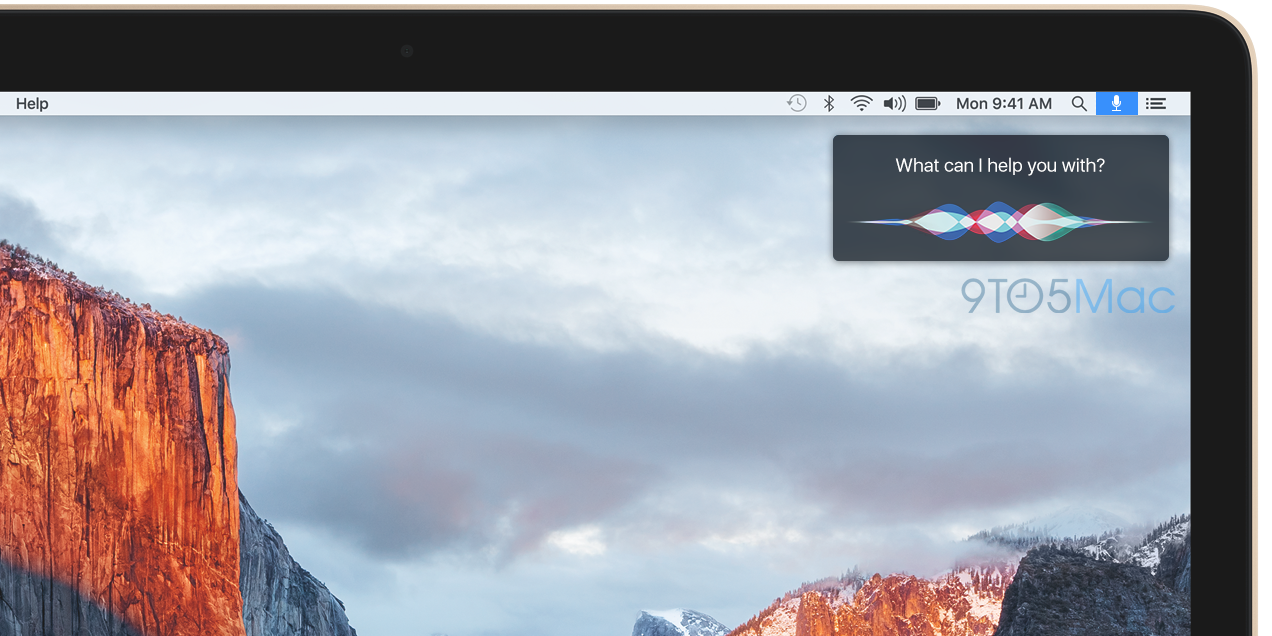
Apple plans Siri for Mac as tentpole feature for this fall’s OS X 10.12 launch

Site default logo image

Apple currently plans to use its next major release of the Mac operating system, known as OS X 10.12, this fall to continue to expand Siri across its product lines. Last year, Apple implemented Siri as cornerstone features of both the Apple Watch and new Apple TV, and for 2016, Siri is planned to finally make its way to the Mac.


Expand
Expanding
Close

How-To: Display window previews for apps in the OS X Dock

Site default logo image

Yesterday, I presented a list of 10 different tips that I thought any new Mac owner should know. As stated in that walkthrough, I don’t consider every recommendation on the list to be an absolute must-follow for new Mac users. There are a few items on the list, however, that are staples in my opinion.

For example, I would hate it if every minimized window on OS X occupied its own space on the Dock. For that reason, I rush to enable the “Minimize window into application icon” option (found in System Preferences → Dock) after every new install. But enabling such a feature comes with its own caveat — it’s hard to know exactly what’s behind an app icon on the Dock once you’ve minimized its respective windows. Thankfully, there’s a handy Mac utility that allows you to preview app windows by hovering over icons in the Dock.
Expand
Expanding
Close

Site default logo image

Mac Pro case clone Kickstarter is perfect for your next DIY gold Hackintosh project

We’ve seen DIY solutions in building a Mac Pro-style Hackintosh out of actual trash cans, but others who aren’t as inclined to follow a DIY route may be excited to hear about the Dune Case. Dune Case is currently running a Kickstarter campaign of its Mac Pro-inspired PC case. The case would allow anyone to get a Mac Pro look at a fraction of the cost at only $189. Boasting a design that helps support airflow, strikingly similar to the Mac Pro, the Dune Case comes in either a black or gold color options.


Expand
Expanding
Close

Apple releases fourth OS X 10.11.4 beta with Live Photos in Messages, secure Notes, more

Site default logo image

Apple has released the fourth OS X 10.11.4 preview for registered developers to test ahead of its expected release next month. The software update to the Mac will likely be released around next month’s March 15th event and is expected to coincide with a new version of iTunes. For Mac users, the latest version of OS X El Capitan adds enhancements like being able to view and share Live Photos originally taken on the iPhone 6s or 6s Plus as well as the ability to lock notes behind a secure password. We’re check out the latest beta and update with any changes.


Expand
Expanding
Close

Here’s what happens to your old iPhone under Apple’s ‘Reuse & Recycle’ program

Site default logo image

New details on Apple’s ‘Reuse and Recycle’ trade-in program have surfaced in a new Bloomberg report. Tim Culpan details the break down and destruction process that each iPhone, Mac, and iPad receives at one of the many Apple recycling contractors’ plants. With over 50 agreed upon regulations and requirements, the contractors have a heavily imposed process to adhere to.


Expand
Expanding
Close

Site default logo image

Apple begins shipping replacement USB-C cables to Retina MacBook owners

Last week, Apple launched a USB-C cable replacement program, saying that some cables shipped with the 12-inch Retina MacBook were faulty. Thea faulty adapters would result in the MacBook not charging or charging unreliably. Now, the first MacBook customers have started receiving their replacement cables, according to a post on Reddit and Twitter. The user did not request the cable from Apple.


Expand
Expanding
Close

How-To: Stream the 58th Annual Grammy Awards on your Mac, Apple TV, or iOS device for free

Site default logo image

The 58th Annual Grammys are broadcasting tonight and thanks to CBS All Access, nearly anyone can watch it for free without a cable subscription or TV set. The show starts at 8PM ET, with a pre-telecast red carpet show at 7PM ET. Viewers can catch the show on CBS’s site, or by using the iOS or Apple TV app. Here’s how to do it for free:


Expand
Expanding
Close

Apple says some USB-C cables shipped with Retina MacBook were faulty, launches replacement program

Apple has launched a replacement program for the USB-C cable that came bundled with 2015 Retina MacBook units, finding that some cables were faulty. Bad cables would result in the MacBook not charging, or charging unreliably when connected to a power adapter.

From Apple’s help site, affected customers can order a free replacement USB-C cable. Retina MacBook owners who provided a mailing address at product registration will be shipped a new cable automatically by the end of February … If you did not provide this information when buying the MacBook, visit Apple’s site to order a replacement cable instead …


Expand
Expanding
Close

Apple execs Eddy Cue & Craig Federighi talk Apple Music, App Store & more in new interview

Site default logo image

John Gruber surprised podcast listeners today by getting Apple’s own Eddy Cue and Craig Federighi on The Talk Show to discuss a variety of topics behind Apple. Since Tim Cook took leadership at Apple, it hasn’t been unheard of for Apple execs to appear on Gruber’s show. The first occurrence was last June when Phil Schiller met John Gruber on stage during WWDC to discuss Apple’s recent announcements and decisions over the past few years. This marks the second time that Federighi has been on the The Talk Show, and Cue’s first.


Expand
Expanding
Close

How-To: Keep up with Swift’s mailing list easily with Hirundo for Mac OS X

Site default logo image

If you’ve been following any of the Swift mailing lists and have begun to feel overwhelmed with the amount of conversations passing through, take a look at Benedikt Terhechte’s new beta app Hirundo. The app focuses on creating a comfortable reading experience for the multitude of mailing lists out there and allows users to easily find, bookmark, and mute messages they desire.


Expand
Expanding
Close

Apple releases OS X 10.11.4 public beta 3, updated developer build

Site default logo image

Apple has released the third OS X 10.11.4 public beta for non-developer testers. Public beta testers running the El Capitan pre-release can find the new software update through the Mac App Store. The latest public beta update follows the third developer beta of the same update earlier this week. Apple has also released a second OS X 10.11.4 beta 3 build (15E39c to 15E39d) for developers as well.


Expand
Expanding
Close

Sparkle Updater vulnerability puts ‘huge’ number of Mac apps at risk of hijacking

Site default logo image

A new vulnerability in Sparkle has put a “huge” number of Mac applications at risk for hijacking. For those unfamiliar, Sparkle is a tool used often by third-party apps that are not in the App Store to allow updates to be pushed to users. Apps susceptible to this hijacking hack include Camtasia, uTorrent, DuetDisplay, and Sketch. The attack applies to both OS X Yosemite and El Capitan (via Ars Technica).


Expand
Expanding
Close

How-To: Migrate notes from Evernote to Apple Notes

Site default logo image

Update: iOS 9.3 adds support for importing Evernote data into Notes by long-pressing on Evernote Export files.

Apple dramatically improved its Notes app with iOS 9 and OS X El Capitan last fall thanks to enhanced photo support, new formatting tools, URL snippets, a share extension, and an iCloud Drive backend to keep it all in sync. So much so that people have actually been moving from Evernote to Apple Notes and not looking back, but there hasn’t been a simple way to make the leap until now. Included in the OS X 10.11.4 software update is a new option in the Notes app that makes migrating content from Evernote to Apple Notes a very simple process. Here’s what you’ll need to get started:


Expand
Expanding
Close