Mac

See All Stories

Apple’s Mac lineup consists of MacBook, MacBook Air, MacBook Pro, iMac, Mac Pro, and Mac Mini. The Mac runs macOS for its operating system.

Mac lineup

History

The Mac is Apple’s lineup of computers, and it can be considered the company’s oldest product. The name “Mac” comes from the original Macintosh, which was introduced in 1984 and is also considered the first personal computer for the masses to have a graphical user interface. The first Macintosh hit the stores on January 24, 1984, costing $2,945.

Among all these years, Apple has introduced many different Mac models, ranging from desktops to laptops to professional tower machines. The current lineup consists of the MacBook Air, MacBook Pro, Mac mini, iMac, and Mac Pro. However, there have been other Mac models were discontinued, such as the eMac, MacBook, and iMac Pro.

The history of modern Macs began in 1998, a year after Steve Jobs returned to Apple. Apple had dozens of Macintosh computers at that time, but Steve decided to rethink the entire lineup. In 1998, Apple announced the iMac G3, which ditched the floppy disk and serial ports in favor of USB connectors.

Macintosh and iMac G3.

Unlike the Macintosh, the first iMac was considered a huge success — not only for its technology, but also for its unique design with colorful translucent plastic. Apple quickly expanded the Mac lineup with other models, which included the iBook and PowerBook (which became the MacBook and MacBook Pro) and the PowerMac, which is now the Mac Pro.

macOS

What makes a Mac the Mac is the macOS operating system, which has also had a long history since the introduction of the first Macintosh. Initially called Mac OS, the operating system was rebuilt when Steve Jobs returned to Apple.

The first version of Mac OS X was released on March 24, 2001 with a new interface that is still present in some ways in current versions of macOS. Apple’s desktop operating system comes with many free applications such as Pages, Keynote, Numbers, iMovie, and GarageBand.

With macOS, users also have access to deep integrations with other Apple devices. For instance, you can answer calls and send SMS from your iPhone using your Mac. Handoff lets you switch from one device to the other and pick up where you left off. Apple Watch users can unlock their computer without entering a password, and you can even copy and paste between devices.

macOS Sonoma

Apple’s desktop operating system is also integrated with services offered by the company, such as iCloud, Apple Music, and Apple TV+.

The current version of macOS is Sonoma (version 14), which features new slow-motion screen savers, widgets on desktop, camera effects on FaceTime and other apps, web apps, passkey sharing, improved PDF support, and Game Mode. The update also comes with a new API that lets developers easily port Windows games to macOS.

Architecture Transitions

The Mac has had three major architecture transitions in its history. Apple’s first computers ran on Motorola processors, but the company decided to migrate to the new PowerPC platform in 1994. While this brought benefits at the time, the PowerPC processors were not delivering what Apple expected.

It was in 2005 that Apple confirmed the transition from PowerPC to Intel. Intel processors had become faster and more efficient than PowerPC, which enabled the development of new Mac computers that were more powerful and also more compact. Developers have been given access to a Developer Transition Kit running Mac OS X Tiger with Intel Pentium 4 to update their apps before the transition begins.

Power PC, Mac OS X, and Intel processor.

Apple said that the transition would begin in June 2006 and be finished by the end of 2007. However, the transition to Intel was fully completed in August 2006 when the company replaced the PowerMac with the new Intel Mac Pro.

As the years went by, Apple once again felt the need to have more powerful and efficient processors for its computers. This time, the company was already working on its own chips for the iPhone and iPad. In June 2020, Apple confirmed that it was changing the architecture of the Mac, now from Intel to ARM chips, which are called Apple Silicon.

Apple offered a Mac mini DTK running on the same A12Z Bionic chip as the 2020 iPad Pro. This way developers could once again update their apps ahead of the transition. In addition to being more powerful and energy efficient, the ARM architecture of Apple Silicon chips has enabled Macs to run iOS apps for the first time.

Apple M1 chip | Mac

The first Apple Silicon Macs were released in November 2020 with the M1 chip. The company later introduced more powerful variants of the M1 chip, called M1 Pro, M1 Max, and M1 Ultra. Macs with Apple Silicon have become known for being more powerful while consuming much less power, which has resulted in MacBooks with extended battery life.

In June 2022, Apple introduced the M2 chip, which is around 20% faster than the M1 and also supports more RAM. M2 also has more powerful variants: M2 Pro, M2 Max, and M2 Ultra.

Apple unveiled the M3, M3 Pro, and M3 Max chips in October 2023. The main highlight of this generation is the 3 nanometer technology, the same as the A17 Pro chip. The M3 family also features better GPUs with support for hardware-accelerated ray-tracing.

Current Mac lineup

Apple currently sells a variety of Mac computers, which includes MacBooks, Mac mini, iMac, and Mac Pro. While some of the Macs have already been updated with an Apple Silicon chip, others remain with Intel processors.

MacBook Air

The MacBook Air is Apple’s most affordable laptop and it has become popular for its light, compact design. The 2022 version is powered by the M2 chip and is offered with 8GB, 16GB, or 24GB of RAM. Plus, it has a new, edge-to edge 13.6-inch Retina display.

The laptop features Touch ID and has two Thunderbolt 3 compatible USB-C ports, a MagSafe connector for charging, and a headphone jack. Prices start at $1099 in the US. It’s offered in silver, space gray, starlight, and midnight.

M2 MacBook Air.

A year later, Apple introduced the first 15-inch MacBook Air. It has essentially the same hardware as the smaller version with a similar design, but with a larger display. Prices start at $1299 in the US.Apple is still selling the M1 MacBook Air for prices starting at $999.

MacBook Pro

The 2023 MacBook Pro is available in multiple versions, and customers can choose between 14-inch and 16-inch screen sizes. For the first time, Apple has introduced a less expensive version of the 14-inch MacBook Pro with the base M3 chip. This version has the same design and display as the high-end versions, except that it only has two USB-C ports instead of three.

M3 MacBook Pro

The most expensive versions of the MacBook Pro are equipped with the more powerful M3 Pro and M3 Max chips. The laptop can be configured with up to 128GB of RAM and 8TB SSD. These versions also come in a new Space Black color.

Unlike the MacBook Air, the MacBook Pro comes with an HDMI port and an SD card reader. It also features MagSafe and Touch ID on the keyboard. Apple no longer sells MacBooks with the Touch Bar. Prices start at $1,599 in the US.

Mac mini

Mac mini is the cheapest Mac currently available since it’s basically a desktop without a built-in display or other peripherals. The base model with the M2 chip features one Ethernet port, two USB-C/Thunderbolt 4 ports, HDMI 2.0, two USB-A ports, and a headphone jack.

Apple sells a more powerful version of the Mac mini with the M2 Pro chip, which also comes with four USB-C ports instead of two. Mac mini can be configured with up to 32GB of RAM and up to 8TB of storage. Customers can also opt for a 10 Gigabit Ethernet port. The Apple Silicon Mac mini is only available in silver, while the now discontinued Intel model was available in space gray.

Apple Silicon Mac mini.

Prices for the Mac mini start at $599 in the US. Again, it’s worth noting that it doesn’t come with a keyboard or mouse in the box – you need to buy them separately or use your current ones.

Mac Studio

Mac Studio represents a new category between Mac mini and Mac Pro. It features a design based on the Mac mini, but with a taller body to support the more powerful hardware and also a better cooling system.

The new Mac Studio is targeted at professional users who work with demanding tasks such as video editing, 3D rendering, and machine learning. 

Embraced by creative pros everywhere, Mac Studio now delivers next-generation power in the form of the lightning-fast M2 Max and the boundary-breaking M2 Ultra. It packs outrageous performance and extensive connectivity in an unbelievably compact form, putting everything you need within easy reach and transforming any space into a studio.

By default, Mac Studio already comes with the M2 Max chip, 32GB of RAM, and 512GB SSD storage. A more expensive option lets users customize Mac Studio with M2 Ultra. While M2 Max has a 12-core CPU and a 30-core GPU, M2 Ultra doubles all of those specs. The new chip has a 24-core CPU and a 60-core GPU.

Mac Studio can also be configured with up to 192GB of RAM and 8TB of SSD storage. The machine offers up to six Thunderbolt ports, 10 Gigabit Ethernet, headphone jack, two USB-A ports, and one HDMI port.

Mac Studio

Apple has been rumored to be working on new versions of this machine with the M3 Max and M3 Ultra chips. However, these versions may not be ready until 2025. Bloomberg’s Mark Gurman said in November last year that the M3 Ultra chip “hasn’t yet gone into broad testing” inside Apple.

In the US, prices for the Mac Studio with M2 Max chip start at $1999. The M2 Ultra chip version starts at $3999. Just like the Mac mini, Mac Studio doesn’t come with a keyboard and mouse in the box. You can find accessories for your Mac Studio here.

iMac

iMac is Apple’s most popular desktop computer with an all-in-one construction. It features a 4.5K display in its 24-inch version and a 5K display in the 27-inch version. At the same time, Apple still sells an entry-level iMac with a regular 1080p display.

The 24-inch iMac is the first to feature the M1 chip, the same as in the Mac mini, MacBook Air, and MacBook Pro. This allowed Apple to introduce a completely redesigned model with a slimmer design, which is also offered in seven new colors. Customers can customize the new 24-inch iMac with up to 16GB of RAM and 2TB of storage.

Site default logo image

The company ships the 24-inch iMac with Magic Mouse and Magic Keyboard, plus a Lightning cable for recharging accessories. Prices in the US start at $1299. Apple has discontinued its old 21.5-inch iMac and the 27-inch iMac 5K.

Mac Pro

Mac Pro is a computer built for professional users who depend on extremely powerful hardware. Available in tower and rack versions, it has a completely modular design. That means users can replace RAM, SSD, GPU, and other internal components.

By default, it features four USB-C/Thunderbolt 3 ports, two USB-A ports, and two 10Gb Ethernet ports. However, the ports can be expanded using the PCI Express slots. Apple also ships the computer with a Magic Mouse and Magic Keyboard, but it does not come with an external monitor included.

All models feature Intel Xeon W processors, which are the most powerful processors offered by Intel. Consumers can configure Mac Pro with up to 28-core processor, 1.5TB RAM, and 8TB of SSD storage. In addition to supporting multiple dedicated GPUs, Apple also offers the Afterburner card — which accelerates the decoding of ProRes videos.

The company recently updated the Mac Pro with new graphics card modules, which include Radeon Pro W6800X and Radeon Pro W6900X.

Site default logo image

Mac Pro prices start at $5999 in the US.

Rumors about upcoming Macs

Top stories about the Mac

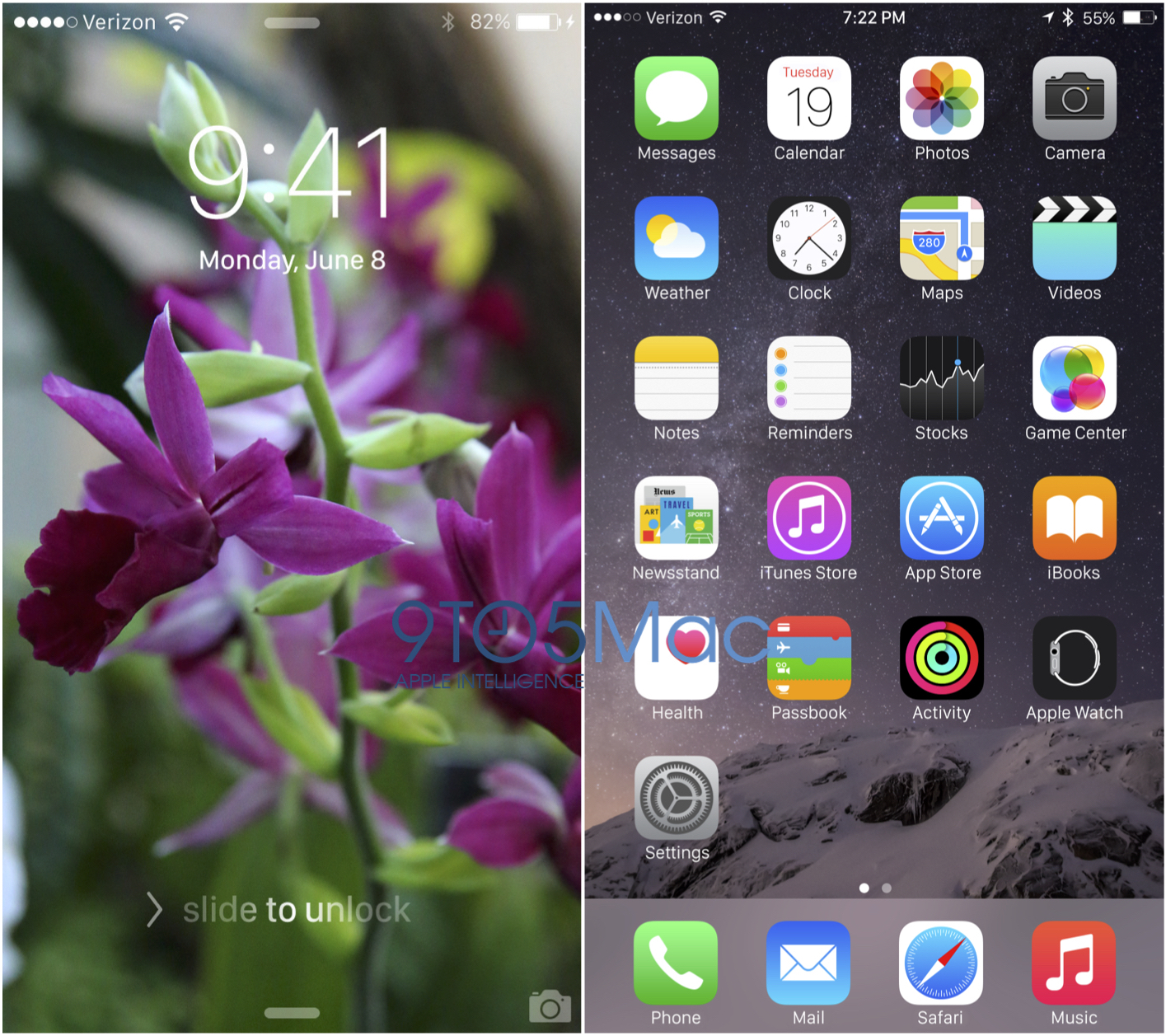
Reading Roundup: Everything to know (so far) about iOS 9 and OS X 10.11

Site default logo image

Over the past couple of weeks, we’ve published several articles detailing the future of iOS (the iPhone, iPad, and iPod touch’s operating system), OS X (the Mac’s operating system), and Watch OS (the software that runs on the Apple Watch). Here’s a list of links to the stories we’ve written thus far about the new operating systems, and we’ll keep updating this page as we publish new and relevant details.


Expand
Expanding
Close

Pixelmator for the iPhone launching tomorrow, we go hands on (update: now available!)

Site default logo image

Update: Pixelmator for iPhone is now available. Download it here.

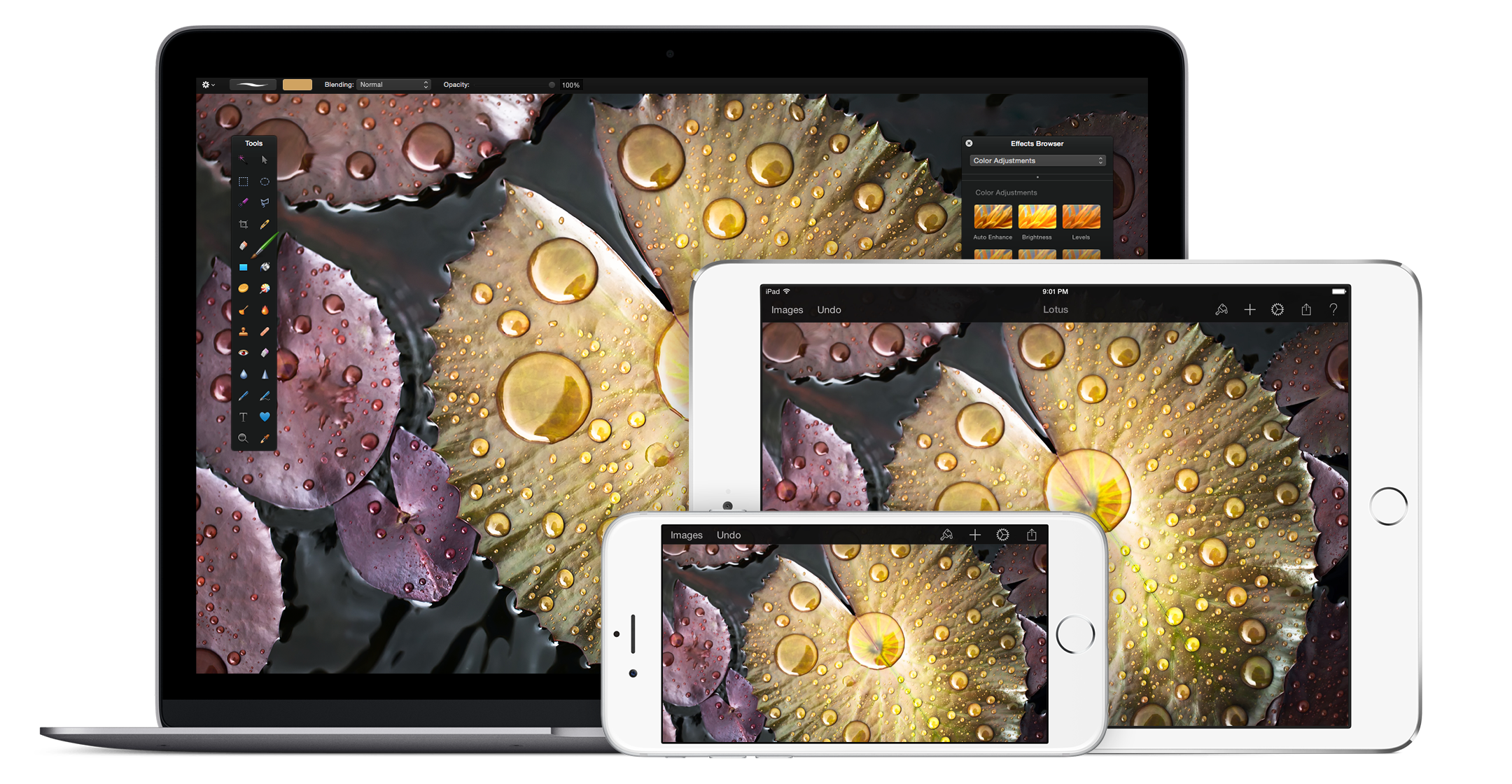
Pixelmator is releasing an update to its iOS app tomorrow, making the app available on the iPhone for the first time ($4.99). The universal app means you can buy once and download Pixelmator on both iPad and iPhone. Existing iOS users of the app naturally get the iPhone version for free as an update. The new version also brings the Distort tools, like warp brushes, to the iOS app for the first time.

Pixelmator for iPhone works very similarly to the iPad version but scaled down for the smaller canvas. You can read our full review of the iPad app from last year. Rather than popover panels, selecting an action opens full-width menus encapsulating options. This is a necessary concession for the size of the display.


Expand
Expanding
Close

The Best Mac Accessories and Upgrades

Over the past six months, I’ve published quite a few tutorials to help Mac users improve the performance of older computers, as well as some great guides to the best Mac accessories across a variety of categories. Today, I’m tying them all together in this handy, one-stop roundup of the best Mac accessories and upgrades.

This guide walks you through everything: in one place, you can learn about the best Mac hard drives, RAM upgrades, docks, keyboards, trackpads, stands, bags, and travel accessories out there. And you can also get free apps to improve your Mac’s storage and responsiveness, find plain English explanations of your Mac’s technical specs, and learn about the little security screws Apple uses to tamper-proof its machines. There’s a lot inside, so you may want to bookmark this piece for future reference!…


Expand
Expanding
Close

Apple drops discoveryd in latest OS X beta following months of network issues

Site default logo image

After many complaints from the developer community about poor networking performance on Yosemite, the latest beta of OS X 10.10.4 has dropped discoveryd in favor of the old process used by previous versions of the Mac operating system. This should address many of the network stability issues introduced with Yosemite and its new networking stack.

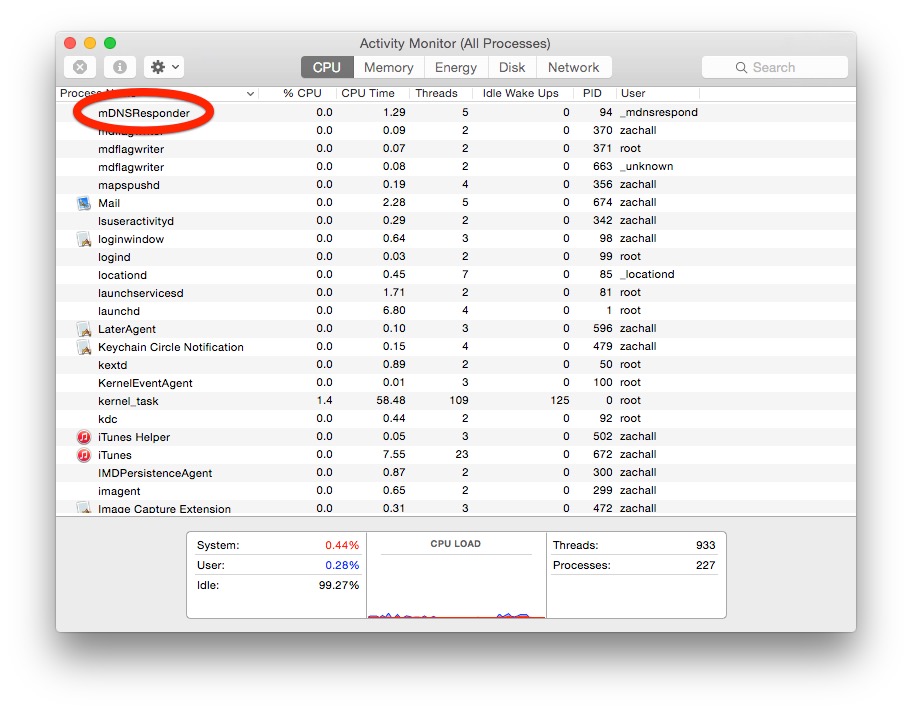
The discoveryd process has been subject to much criticism in recent months as it causes users to regularly drop WiFi access and causes network shares to list many times over, due to bugs. Many developers, such as Craig Hockenberry, have complained about the buggy software and workarounds have been found to include substituting the older system (called mDNSResponder) back into Yosemite.

discoveryd would cause random crashes, duplicate names on the network and many other WiFi-relate bugs. In the latest beta, Apple appears to have applied the same fix as the enthusiasts by axing discoveryd completely.


Expand
Expanding
Close

Apple releases new OS X 10.10.4 betas to developers and AppleSeed participants

Site default logo image

Apple has just released a new beta seed of the upcoming OS X 10.10.4 update. Users who are part of the company’s AppleSeed beta program and registered Mac developers can download the operating system from the Updates tab of the App Store or the Mac Developer Center.

This is the fourth developer seed that has been released. It comes with a build number of 14E26a. The previous build was released on May 11th with a build number of 14E17e.


Expand
Expanding
Close

Opinion: Should AAPL stockholders be worried about Jony Ive’s more backseat role?

Site default logo image


The Apple world this morning seems divided between those who seemingly haven’t grasped the implications of Apple’s ‘promotion’ of Jony Ive, merely taking Cook’s memo at face value, and those switching into full-on ‘Apple is doomed’ mode. The reality is, I think, a little more nuanced.

It seems pretty clear that this move is, as Seth outlined earlier, about Ive taking more of a backseat role – and especially being able to spend a lot more time back in England. Apple’s decision to announce the news on a day when the US markets were closed was obviously not coincidence.

Apple didn’t want to see a knee-jerk panic reaction on Wall Street setting its stock diving. But is there reason to panic? Or is it all much ado about nothing? Or something between the two … ? 
Expand
Expanding
Close

The Logic Pros: TE’s new pocket-sized synths & how to sync them up with your Mac

The Logic Pros is a new regular series exploring all of the most interesting gadgets and software for making music on your Mac/iOS devices. If there is any gear you would like us to take a closer hands-on look at, let us know in the comments section below or shoot us an email.

Teenage Engineering, best known for its flagship synthesizer/sequencer the OP-1, recently unleashed a new line of tiny music makers on the world known as the Pocket Operators. The PO-12 Rhythm is a drum machine, the PO-14 Sub is a bass module and the PO-16 Factory is dedicated to melodies and lead lines. The appearance of the units may have some writing them off as toys, and considering they were partially inspired by pocket calculators and the Nintendo Game & Watch products, that may not be totally off base. But creativity and musical inspiration come from unexpected places sometimes.

Having gone hands on with the PO-16 model for over a week now, I have found it to be quite a playable little instrument, with its own interesting quirks, creative limitations, and boutique sound. Most examples of the little device in action appear to be freestyle techno jams, song re-creations or somewhat avant guard pieces that don’t seem to offer much in the way of real-life production applications. So I decided to run the new Factory model through its paces, putting it alongside some bigger name virtual/hardware instruments in the space to see how it would hold-up in a more typical Logic or GarageBand production.

Read on for more details on the PO-16, how to sync this bad boy up with your other hardware and to hear how it sits inside a mix with some big name software/hardware…
Expand
Expanding
Close

Anker unveils line of 12-inch MacBook compatible cables including USB-C to Lightning

Popular accessory maker Anker has shown off its upcoming lineup of USB-C cables and adapters including USB-C to USB 2.0, 3.0, and USB-C solutions. Especially interesting for 12-inch MacBook users is Anker’s USB-C to Lightning cable — the first that I’ve seen from a reputable vendor — which will allow users to connect iPhones, iPads, and iPod touches with Lightning ports directly to Apple’s USB Type C-only notebook for charging and syncing.
Expand
Expanding
Close

Site default logo image

Apple launches Czech and Slovak versions of Mac App Store (Update: more languages)

via <a href="http://www.letemsvetemapplem.eu/2015/05/21/mac-app-store-je-konecne-cestine/" target="_blank">letemsvetemapplem.com</a>

Apple has launched a version of the Mac App Store localized in Czech. Like previous changes to the Mac App Store, upport for the new language is rolling out to users and will only show up for a few people at first. Some users have also spotted a Slovak version of the store, which may be rolling out now as well.

If you’re not seeing the language change yet, you may be able to enable it by switching your region using the flag button at the bottom of the home page, then changing back.

Update: Users are reporting that Romanian and Hungarian versions of the store is also showing up now.

[tweet https://twitter.com/alex_popa95/status/601474263191834627 align=’center’]

Future of iPad: Dual-app viewing mode, then J98/J99 ‘iPad Pros,’ multi-user support

Site default logo image

Facing slowing growth for the first time since the iPad’s 2010 debut, Apple is working on several significant software and hardware updates to reinvigorate the tablet over the next year. Apple is developing a dual-app viewing mode, 12-inch iPads codenamed “J98” and “J99,” as well as support for multi-user logins, according to sources briefed on the plans. First planned for debut last year, the split-screen applications feature for the iPad could be introduced as soon as June at Apple’s annual Worldwide Developers Conference, while multi-user login support and the 12-inch iPads will apparently arrive later…


Expand
Expanding
Close

Apple plans to refresh iOS 9, OS X 10.11 using new Apple Watch font

Site default logo image

Apple is currently planning to use the new system font developed for the Apple Watch to refresh the looks of iPads, iPhones, and Macs running iOS 9 “Monarch” and OS X 10.11 “Gala,” according to sources with knowledge of the preparations. Current plans call for the Apple-designed San Francisco font to replace Helvetica Neue, which came to iOS 7 in 2013 and OS X Yosemite just last year, beginning with a June debut at WWDC…


Expand
Expanding
Close

Some waiting for iMacs have been given a free upgrade to Retina, but is that a good deal?

Site default logo image

A Redditor awaiting delivery of a non-Retina 27-inch iMac ordered before yesterday’s announcement of the new Retina models has reported being given a free upgrade by Apple.

You may not have heard, but we just announced the new iMac with Retina 5K display. Since your order has yet to ship, we automatically upgraded you to the new iMac with Retina 5K display.

Since the old price of the non-Retina model he’d ordered and the new base-model Retina machine are the same – $1999 – it’s likely that Apple has offered the same deal to others in the same position. But is this necessarily a good deal … ? 
Expand
Expanding
Close

15-inch MacBook Pro with Force Touch, and cheaper $1999 27-inch Retina iMac, officially launched

Site default logo image

Yesterday’s report of a new 15-inch MacBook Pro with Force Touch trackpad, together with a new 27-inch iMac, have been confirmed via an official announcement by Apple.

Apple today updated the 15-inch MacBook Pro with Retina display with the new Force Touch trackpad, faster flash storage, longer battery life and faster discrete graphics, delivering even more performance and capabilities to the MacBook Pro line. Apple also today introduced a new $1,999 configuration of the 27-inch iMac with Retina 5K display featuring a breathtaking 14.7 million pixel display, quad-core processors and AMD graphics, and lowered the price of the top-end iMac with Retina 5K display to $2,299.

While the upgrade to the latest Broadwell Haswell processor doesn’t show a speed-bump, Apple says that the flash storage is 2.5 times faster and greater power efficiency provides an extra hour of battery-life … 
Expand
Expanding
Close

Report: New Force Touch 15-inch MacBook Pro & 27-inch iMac arriving Wednesday

Site default logo image

French site MacG, which has a very decent track-record, cites “reliable sources” as stating that a new 15-inch MacBook Pro and 27-inch iMac are going on sale on Wednesday. (Update: We are now told their sources don’t know whether it’s the Retina or non-Retina iMac.)

Apple updated the 13-inch MacBook Pro back in March, the most notable update being the inclusion of the Force Touch trackpad fitted to the new 12-inch MacBook. The machine also got 5th-generation Intel Core processors, the base model running at 2.7GHz, configurable to 3.1GHz, and Intel Iris Graphics 6100 GPU.

While the site had no specific details, it’s likely the 15-inch model will likewise get CPU and GPU bumps, alongside the Force Touch trackpad … 
Expand
Expanding
Close

Review: Macphun’s Noiseless is the affordable photo noise killer that will save your grainy pictures

As a serious photographer, I do as much as I can to make my daily shots excellent, using cameras with low-noise sensors and fast lenses — then trying to keep them as steady as possible in low light. But even the latest and best cameras can’t snap perfectly clean images in dark surroundings. Grainy noise is basically inevitable in darkness, and the more basic the camera you’re using, the more likely it is to appear in a wider variety of pictures. To reduce noise, you can either shell out thousands of dollars for new camera gear, or try to fix your noisy photos with software.

Having spent years trying to fix noisy photos with software, including the noise reduction filters included with fully-featured photo editing applications such as Adobe’s Photoshop, I can tell you that the results typically aren’t great. Unless you’re willing to invest in an expensive noise-reduction plug-in, you’ll spend a lot of time trying to clean your image up, and it probably won’t be beautiful when you’re done. So when I learned about MacPhun’s Noiseless ($18), an app designed to do only one thing — eliminate noise — I was simultaneously skeptical and intrigued. Given that standalone noise-reduction apps often sell for 4 to 8 times as much, could an affordable single-purpose app meaningfully improve some seriously messed-up photos? The answer is “yes,” and at a far lower price than buying a comparably noise-free camera…


Expand
Expanding
Close

Apple quietly doubles total iCloud contact card limit

Site default logo image

In a recent change to its iCloud syncing service, Apple has raised the total number of contacts it will store and sync across your devices before hitting the maximum allowed. Previously iCloud enforced a hard limit of syncing 25,000 contacts, but an updated support document (via iFun.de) highlights that limit doubling now to a total of 50,000 contacts…

Expand
Expanding
Close

Site default logo image

Early look at Windows 10 on the new Retina MacBook says it runs better than OS X

One of the first people to try Windows 10 on the new Retina MacBook says that it actually runs more smoothly than OS X. The comment was made by Computer Science major Alex King, who tried upgrading his Boot Camp installation of Windows 8.1 to the preview of Windows 10.

Here’s the real kicker: it’s fast. It’s smooth. It renders at 60FPS unless you have a lot going on. It’s unequivocally better than performance on OS X, further leading me to believe that Apple really needs to overhaul how animations are done. Even when I turn Transparency off in OS X, Mission Control isn’t completely smooth. Here, even after some Aero Glass transparency has been added in, everything is smooth. It’s remarkable, and it makes me believe in the 12-inch MacBook more than ever before.

If you’re fortunate enough to have taken delivery of your own Retina MacBook and want to try the experiment for yourself, be prepared for a few glitches along the way. King said that not all of the Boot Camp drivers automatically installed, there’s no Bluetooth support and some Windows apps (like Steam) look blurry because they don’t support the full resolution of the Retina display. But overall, the experience sounds like a good one.

If you’re still not sure whether you’re the target market for the new lower-powered, ultra-portable machine, you can check out our own in-depth review and one-month-in video of just what it can and can’t do.

Site default logo image

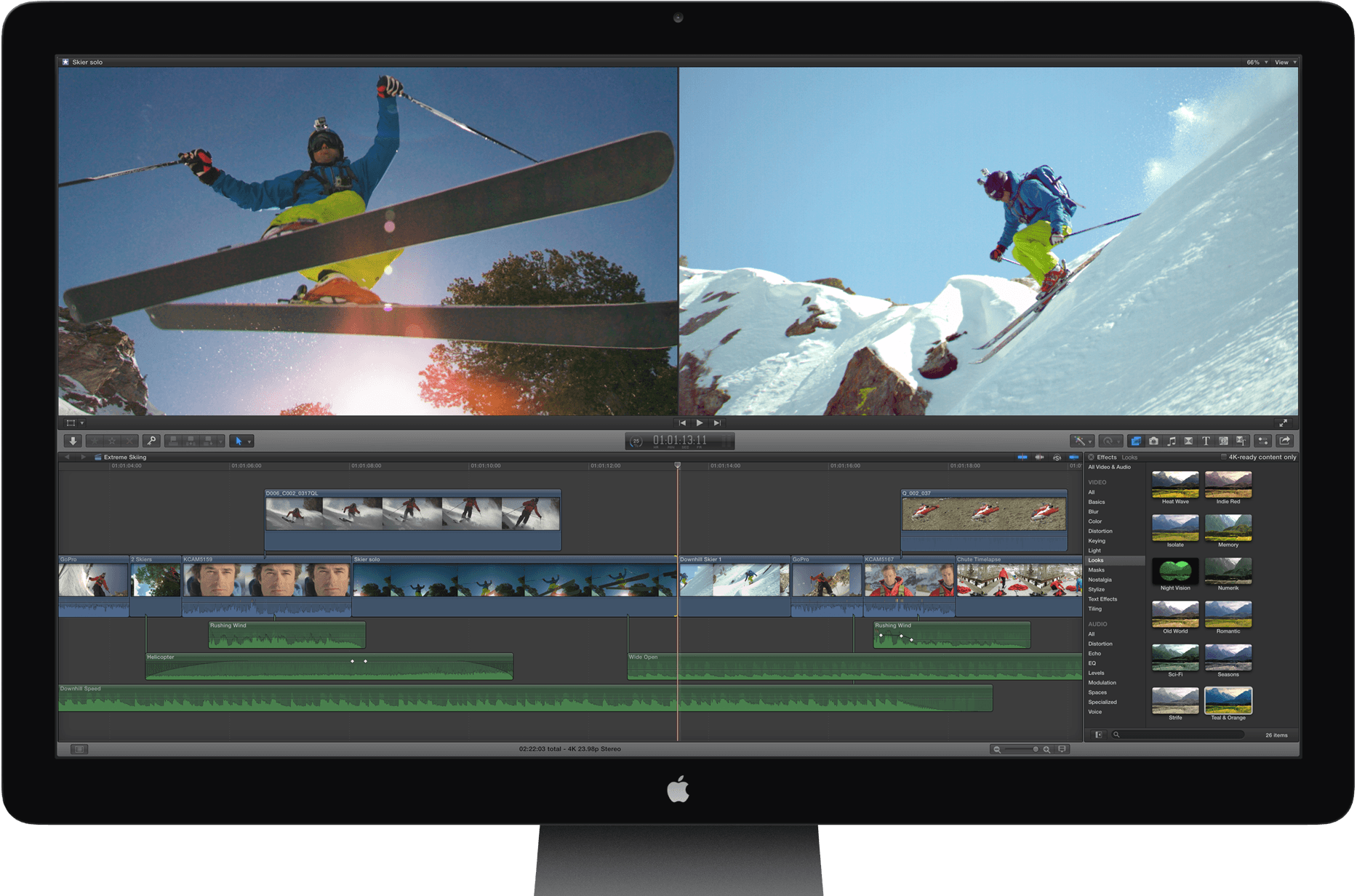
Apple releases Final Cut Pro X 10.2.1 with bug fixes, improved video support, more accurate Timeline

Apple today updated Final Cut Pro X to version 10.2.1 with bug fixes and improvements. Apple’s release notes say that this update fixes a bug that would cause Final Cut Pro to quit at launch on some Macs. Support for Panasonic AVCAAM video at 25P and 30P rates has been restored, while Apple also says that dragging through the Timeline view is now more accurate. This 10.2.1 update follows up on the significant 10.2 update from April, which added 3D title support, new editing features, and support for several new cameras and video formats. Today’s minor update is the first to Final Cut since its pioneer Randy Ubillos retired from Apple.


Expand
Expanding
Close

How-To: Benchmark your Mac with these three free downloads

Over the course of writing guides to boosting Mac and hard drive speeds, I’ve discussed the incredible performance improvements Macs can get from simple upgrades — adding RAM, choosing a fast solid state drive (SSD) as an internal or external drive, and even running a simple disk optimizer tool. But there’s a common question that comes up when considering upgrades: how can you tell in advance how big of an improvement you’ll actually see?

The answer: benchmarking tools. Many apps help you measure the speed of various components of your Mac, and with a little help, you can estimate the performance jumps you’ll see after an upgrade. Below, I’ll introduce three of the best free Mac benchmarking tools, and explain how they work…


Expand
Expanding
Close

Chrome for Mac will soon require Chrome Web Store distribution for extensions to prevent malware

Site default logo image

Back in May of last year, Google started enforcing a policy that requires Chrome extensions be hosted on its Chrome Web Store, but only on Windows. The goal was to prevent malware hidden in extensions installable from outside its store, and it even started disabling extensions already installed on users’ systems that weren’t hosted on the Chrome Web Store. Now, Google says it will bring that requirement to Mac Chrome users over the coming months, as well as the Chrome developer channel for Windows that wasn’t previously enforcing the policy:
Expand
Expanding
Close