Mac

See All Stories

Apple’s Mac lineup consists of MacBook, MacBook Air, MacBook Pro, iMac, Mac Pro, and Mac Mini. The Mac runs macOS for its operating system.

Mac lineup

History

The Mac is Apple’s lineup of computers, and it can be considered the company’s oldest product. The name “Mac” comes from the original Macintosh, which was introduced in 1984 and is also considered the first personal computer for the masses to have a graphical user interface. The first Macintosh hit the stores on January 24, 1984, costing $2,945.

Among all these years, Apple has introduced many different Mac models, ranging from desktops to laptops to professional tower machines. The current lineup consists of the MacBook Air, MacBook Pro, Mac mini, iMac, and Mac Pro. However, there have been other Mac models were discontinued, such as the eMac, MacBook, and iMac Pro.

The history of modern Macs began in 1998, a year after Steve Jobs returned to Apple. Apple had dozens of Macintosh computers at that time, but Steve decided to rethink the entire lineup. In 1998, Apple announced the iMac G3, which ditched the floppy disk and serial ports in favor of USB connectors.

Macintosh and iMac G3.

Unlike the Macintosh, the first iMac was considered a huge success — not only for its technology, but also for its unique design with colorful translucent plastic. Apple quickly expanded the Mac lineup with other models, which included the iBook and PowerBook (which became the MacBook and MacBook Pro) and the PowerMac, which is now the Mac Pro.

macOS

What makes a Mac the Mac is the macOS operating system, which has also had a long history since the introduction of the first Macintosh. Initially called Mac OS, the operating system was rebuilt when Steve Jobs returned to Apple.

The first version of Mac OS X was released on March 24, 2001 with a new interface that is still present in some ways in current versions of macOS. Apple’s desktop operating system comes with many free applications such as Pages, Keynote, Numbers, iMovie, and GarageBand.

With macOS, users also have access to deep integrations with other Apple devices. For instance, you can answer calls and send SMS from your iPhone using your Mac. Handoff lets you switch from one device to the other and pick up where you left off. Apple Watch users can unlock their computer without entering a password, and you can even copy and paste between devices.

macOS Sonoma

Apple’s desktop operating system is also integrated with services offered by the company, such as iCloud, Apple Music, and Apple TV+.

The current version of macOS is Sonoma (version 14), which features new slow-motion screen savers, widgets on desktop, camera effects on FaceTime and other apps, web apps, passkey sharing, improved PDF support, and Game Mode. The update also comes with a new API that lets developers easily port Windows games to macOS.

Architecture Transitions

The Mac has had three major architecture transitions in its history. Apple’s first computers ran on Motorola processors, but the company decided to migrate to the new PowerPC platform in 1994. While this brought benefits at the time, the PowerPC processors were not delivering what Apple expected.

It was in 2005 that Apple confirmed the transition from PowerPC to Intel. Intel processors had become faster and more efficient than PowerPC, which enabled the development of new Mac computers that were more powerful and also more compact. Developers have been given access to a Developer Transition Kit running Mac OS X Tiger with Intel Pentium 4 to update their apps before the transition begins.

Power PC, Mac OS X, and Intel processor.

Apple said that the transition would begin in June 2006 and be finished by the end of 2007. However, the transition to Intel was fully completed in August 2006 when the company replaced the PowerMac with the new Intel Mac Pro.

As the years went by, Apple once again felt the need to have more powerful and efficient processors for its computers. This time, the company was already working on its own chips for the iPhone and iPad. In June 2020, Apple confirmed that it was changing the architecture of the Mac, now from Intel to ARM chips, which are called Apple Silicon.

Apple offered a Mac mini DTK running on the same A12Z Bionic chip as the 2020 iPad Pro. This way developers could once again update their apps ahead of the transition. In addition to being more powerful and energy efficient, the ARM architecture of Apple Silicon chips has enabled Macs to run iOS apps for the first time.

Apple M1 chip | Mac

The first Apple Silicon Macs were released in November 2020 with the M1 chip. The company later introduced more powerful variants of the M1 chip, called M1 Pro, M1 Max, and M1 Ultra. Macs with Apple Silicon have become known for being more powerful while consuming much less power, which has resulted in MacBooks with extended battery life.

In June 2022, Apple introduced the M2 chip, which is around 20% faster than the M1 and also supports more RAM. M2 also has more powerful variants: M2 Pro, M2 Max, and M2 Ultra.

Apple unveiled the M3, M3 Pro, and M3 Max chips in October 2023. The main highlight of this generation is the 3 nanometer technology, the same as the A17 Pro chip. The M3 family also features better GPUs with support for hardware-accelerated ray-tracing.

Current Mac lineup

Apple currently sells a variety of Mac computers, which includes MacBooks, Mac mini, iMac, and Mac Pro. While some of the Macs have already been updated with an Apple Silicon chip, others remain with Intel processors.

MacBook Air

The MacBook Air is Apple’s most affordable laptop and it has become popular for its light, compact design. The 2022 version is powered by the M2 chip and is offered with 8GB, 16GB, or 24GB of RAM. Plus, it has a new, edge-to edge 13.6-inch Retina display.

The laptop features Touch ID and has two Thunderbolt 3 compatible USB-C ports, a MagSafe connector for charging, and a headphone jack. Prices start at $1099 in the US. It’s offered in silver, space gray, starlight, and midnight.

M2 MacBook Air.

A year later, Apple introduced the first 15-inch MacBook Air. It has essentially the same hardware as the smaller version with a similar design, but with a larger display. Prices start at $1299 in the US.Apple is still selling the M1 MacBook Air for prices starting at $999.

MacBook Pro

The 2023 MacBook Pro is available in multiple versions, and customers can choose between 14-inch and 16-inch screen sizes. For the first time, Apple has introduced a less expensive version of the 14-inch MacBook Pro with the base M3 chip. This version has the same design and display as the high-end versions, except that it only has two USB-C ports instead of three.

M3 MacBook Pro

The most expensive versions of the MacBook Pro are equipped with the more powerful M3 Pro and M3 Max chips. The laptop can be configured with up to 128GB of RAM and 8TB SSD. These versions also come in a new Space Black color.

Unlike the MacBook Air, the MacBook Pro comes with an HDMI port and an SD card reader. It also features MagSafe and Touch ID on the keyboard. Apple no longer sells MacBooks with the Touch Bar. Prices start at $1,599 in the US.

Mac mini

Mac mini is the cheapest Mac currently available since it’s basically a desktop without a built-in display or other peripherals. The base model with the M2 chip features one Ethernet port, two USB-C/Thunderbolt 4 ports, HDMI 2.0, two USB-A ports, and a headphone jack.

Apple sells a more powerful version of the Mac mini with the M2 Pro chip, which also comes with four USB-C ports instead of two. Mac mini can be configured with up to 32GB of RAM and up to 8TB of storage. Customers can also opt for a 10 Gigabit Ethernet port. The Apple Silicon Mac mini is only available in silver, while the now discontinued Intel model was available in space gray.

Apple Silicon Mac mini.

Prices for the Mac mini start at $599 in the US. Again, it’s worth noting that it doesn’t come with a keyboard or mouse in the box – you need to buy them separately or use your current ones.

Mac Studio

Mac Studio represents a new category between Mac mini and Mac Pro. It features a design based on the Mac mini, but with a taller body to support the more powerful hardware and also a better cooling system.

The new Mac Studio is targeted at professional users who work with demanding tasks such as video editing, 3D rendering, and machine learning. 

Embraced by creative pros everywhere, Mac Studio now delivers next-generation power in the form of the lightning-fast M2 Max and the boundary-breaking M2 Ultra. It packs outrageous performance and extensive connectivity in an unbelievably compact form, putting everything you need within easy reach and transforming any space into a studio.

By default, Mac Studio already comes with the M2 Max chip, 32GB of RAM, and 512GB SSD storage. A more expensive option lets users customize Mac Studio with M2 Ultra. While M2 Max has a 12-core CPU and a 30-core GPU, M2 Ultra doubles all of those specs. The new chip has a 24-core CPU and a 60-core GPU.

Mac Studio can also be configured with up to 192GB of RAM and 8TB of SSD storage. The machine offers up to six Thunderbolt ports, 10 Gigabit Ethernet, headphone jack, two USB-A ports, and one HDMI port.

Mac Studio

Apple has been rumored to be working on new versions of this machine with the M3 Max and M3 Ultra chips. However, these versions may not be ready until 2025. Bloomberg’s Mark Gurman said in November last year that the M3 Ultra chip “hasn’t yet gone into broad testing” inside Apple.

In the US, prices for the Mac Studio with M2 Max chip start at $1999. The M2 Ultra chip version starts at $3999. Just like the Mac mini, Mac Studio doesn’t come with a keyboard and mouse in the box. You can find accessories for your Mac Studio here.

iMac

iMac is Apple’s most popular desktop computer with an all-in-one construction. It features a 4.5K display in its 24-inch version and a 5K display in the 27-inch version. At the same time, Apple still sells an entry-level iMac with a regular 1080p display.

The 24-inch iMac is the first to feature the M1 chip, the same as in the Mac mini, MacBook Air, and MacBook Pro. This allowed Apple to introduce a completely redesigned model with a slimmer design, which is also offered in seven new colors. Customers can customize the new 24-inch iMac with up to 16GB of RAM and 2TB of storage.

Site default logo image

The company ships the 24-inch iMac with Magic Mouse and Magic Keyboard, plus a Lightning cable for recharging accessories. Prices in the US start at $1299. Apple has discontinued its old 21.5-inch iMac and the 27-inch iMac 5K.

Mac Pro

Mac Pro is a computer built for professional users who depend on extremely powerful hardware. Available in tower and rack versions, it has a completely modular design. That means users can replace RAM, SSD, GPU, and other internal components.

By default, it features four USB-C/Thunderbolt 3 ports, two USB-A ports, and two 10Gb Ethernet ports. However, the ports can be expanded using the PCI Express slots. Apple also ships the computer with a Magic Mouse and Magic Keyboard, but it does not come with an external monitor included.

All models feature Intel Xeon W processors, which are the most powerful processors offered by Intel. Consumers can configure Mac Pro with up to 28-core processor, 1.5TB RAM, and 8TB of SSD storage. In addition to supporting multiple dedicated GPUs, Apple also offers the Afterburner card — which accelerates the decoding of ProRes videos.

The company recently updated the Mac Pro with new graphics card modules, which include Radeon Pro W6800X and Radeon Pro W6900X.

Site default logo image

Mac Pro prices start at $5999 in the US.

Rumors about upcoming Macs

Top stories about the Mac

Photoshop celebrates 25th anniversary today of app originally created on a Macintosh Plus

Site default logo image

Adobe is today celebrating the 25th anniversary of Photoshop, which first launched as a Mac-only app on 19th February 1990.

What went on to become the industry standard image editing app started life in 1987, when Thomas Knoll, a computer vision doctorate student at the University of Michigan, began developing it on his Mac Plus. Known then as Display, the app was designed to do nothing more than display grayscale images on the Macintosh’s black-and-white monitor. As Adobe showcases in the video below, the app has come rather a long way since then … 
Expand
Expanding
Close

Site default logo image

Long-time Macworld editor Chris Breen joins Apple

Chris Breen, a long-time writer and Senior Editor for Macworld, has decided to leave a long-time career of journalism covering the Cupertino company and take his talents straight to Apple itself.

According to a post on his personal blog:

Just a note to say that I’ve left Macworld to work for a Cupertino-based technology company you may be familiar with.

There are loads of reasons for the change, but blend them together and they add up to my desire to try something different before I don the large shorts and spend the bulk of my remaining days looking for my misplaced spectacles.

“Chris has been such an essential staff member that the word “essential” seems woefully inadequate to describe him,” wrote Macworld’s Susie Ochs.

This news comes several months after another long-time journalist, Anand Shimpi of AnandTech.com, also retired from writing to join Apple.

As with Anand, it’s not known what Breen will be doing at Apple. Being part of the post-Cotton PR team at the company is definitely a possibility, but the fact that another Macworld Editor Jon Seff was picked up for the secretive Apple University training program might shine some light on what Apple is doing with these journos.

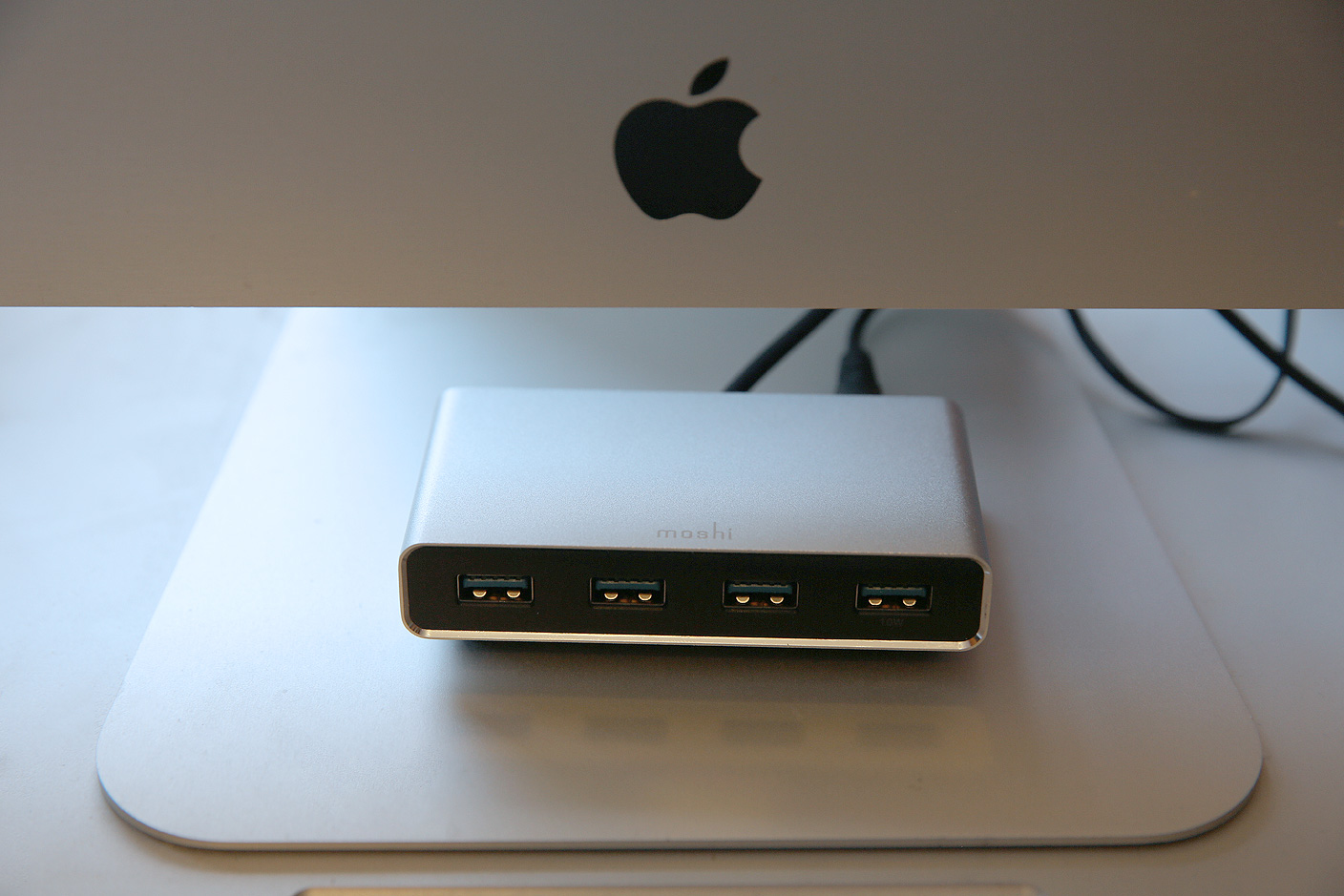
Review: iLynx 3 changes the shape and feature set of Moshi’s flagship Mac USB hub

Accessing a Mac’s rear-facing ports can be a hassle, particularly when you’re using short cables. To eliminate that issue, Moshi’s original iLynx combined four USB 2.0 and two FireWire 400 ports into a triangular hub designed primarily to sit in front of an iMac. Later, a cosmetically near-identical sequel called iLynx 800 modestly updated the accessory by updating the ports to FireWire 800.

With FireWire dead and USB 3.0 growing in popularity, there’s a new iLynx in town. iLynx 3 ($60) drops FireWire entirely in favor of an all-USB approach, relying on a combination of USB and wall power to connect up to four devices to your Mac. Read on for the details.


Expand
Expanding
Close

Rumor says Touch ID coming to MacBooks and Magic Mouse/Trackpad for Apple Pay, but there are roadblocks

Site default logo image

When Apple develops a new technology or feature for its hardware, it typically rolls it out on one product then expands it to the rest of the line. For example, Touch ID launched for the iPhone in 2013 and made its way to the iPad with the iPad Air 2 in 2014. For 2015, Touch ID may make its debut on the Mac, according to a rumor from website apple.club.tw. According to the blog, which published legitimate photos of iPad Air 2 Touch ID and A8X chip components last fall, Touch ID will come to Macs this year to enable Apple Pay functionality…


Expand
Expanding
Close

Site default logo image

Upcoming Modern Family episode shot w/ iPhone & iPad, plays out entirely on MacBook screen

An upcoming episode of the popular ABC show Modern Family will take place entirely on a MacBook as the characters use FaceTime and other services to communicate, as noted by Recode:

The episode revolves around Claire Dunphy, a working mother of three played by Julie Bowen, who is stuck in an airport and desperate to reach her daughter, Haley, to reconcile after a fight. The story plays out on her Macbook, as she employs all the forms of modern communication at her disposal, from email to FaceTime to Facebook, in an attempt to locate her eldest child, played by Sarah Hyland.

Not only will the upcoming episode take place on a MacBook screen, the report adds that it “was shot entirely with Apple’s iPhone 6 and iPad Air 2 tablets.”

Recode has more with quotes from the show’s co-creator Steven Levitan on the inspiration behind the episode.

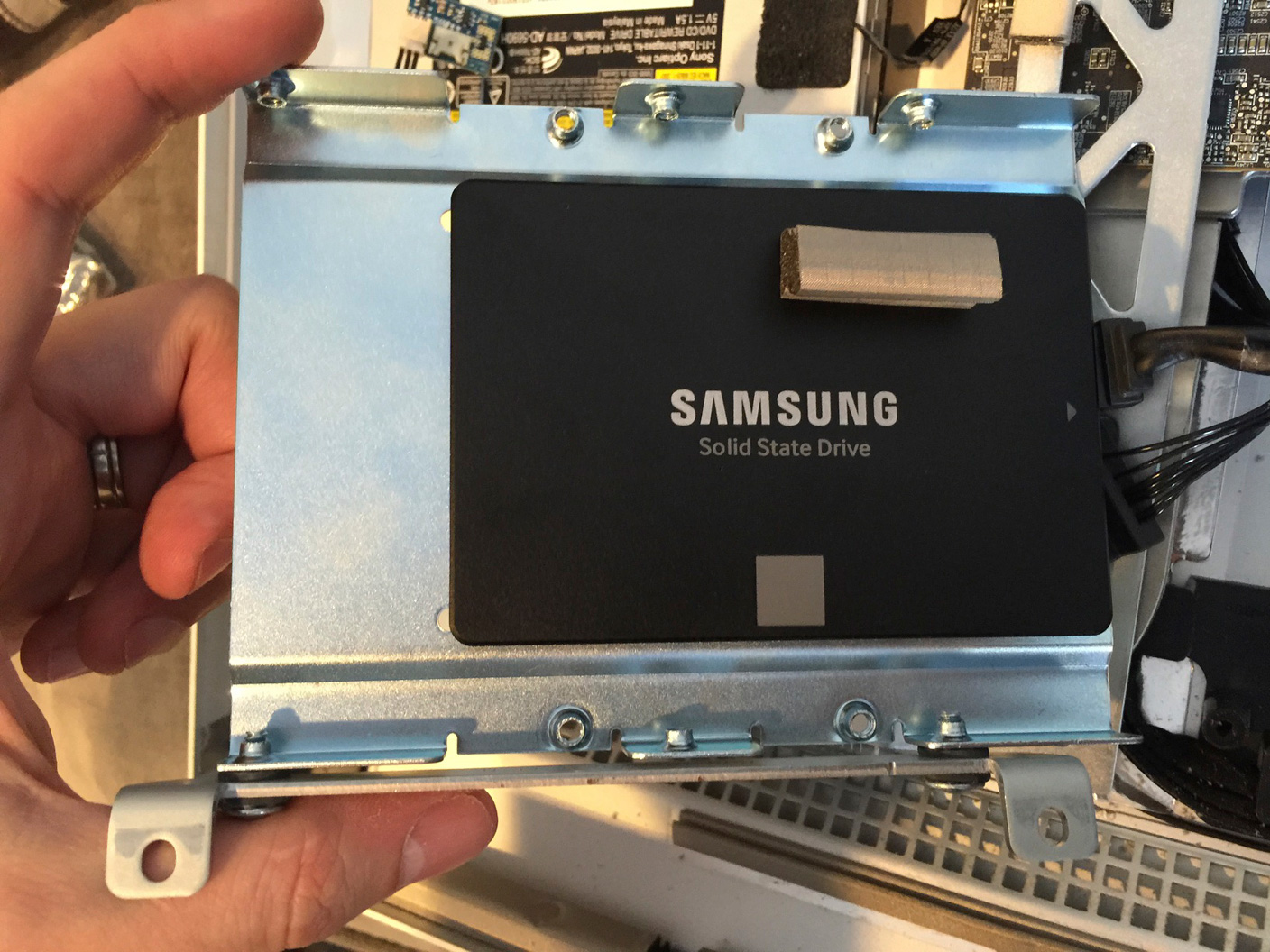
How-To: Update your old MacBook, Mac mini, or Mac Pro hard drive with a fast SSD

My Mac is now silent. After installing a solid state drive (SSD) with no moving parts, the drone of my iMac’s hard drive and fans has given way to such an absence of sound that I only hear the high-pitched squeal of my office lights.

My Mac is now fast. Even with 400GB of available space, OS X Yosemite’s constant hard drive accessing had brought my quad-core, 3.4GHz Core i7 machine to its knees. Now I’m seeing five times the hard drive speeds, apps are loading instantly, and my iMac feels as responsive as the MacBooks and iPads that beat it to the SSD game.

Last week, buoyed by (finally!) reasonable SSD prices and a desire to try a DIY project, I walked through the steps to replace a prior-generation iMac’s hard drive with an SSD. Similarly excited readers have pointed out that older MacBooks and certain other Macs are also easy to upgrade… but at least one Mac (surprise: the Mac mini) is not. So below, I’ll show you some great SSD options that you can install yourself, ask a tech-savvy friend/repair shop to handle for you, or choose as external solutions.


Expand
Expanding
Close

How-To: Now’s the right time to swap your old iMac’s hard drive for a fast new SSD

If you bought your iMac 3-5 years ago, there’s probably nothing so seriously wrong with the hardware that you need to consider replacing the machine. Sure, the new iMac with 5K Retina Display looks a little nicer, but at a steep $2,499 starting point, it’s still a luxury, not a necessity.

Yet there’s something you can do for $200 to $500 that will radically change your iMac’s performance: install a solid state drive (SSD) in addition to or instead of its original hard drive. SSDs use high-speed memory chips rather than the spinning platter mechanisms in traditional hard drives, achieving up to 5X benefits in speed while requiring no moving parts. Five years ago, SSDs were both expensive and limited in capacity, making them unlikely components for most Macs. Today, high-quality, capacious SSDs can be had for reasonable prices, and they’re surprisingly easy to install in iMacs. With limited expertise and only three tools, I swapped out my old hard drive for an SSD in roughly 30 minutes. Here’s how I did it, and – if you’re up for a quick do-it-yourself project – what I’d recommend for you.


Expand
Expanding
Close

Apple adds two-factor authentication option to FaceTime and iMessage

Site default logo image

In the wake of a report last month that multiple Apple services remained insecure against hacking attempts, Apple has turned on two-factor authentication for the FaceTime audio/video calling service and iMessage text/picture/voice messaging service, notes The Guardian. Two-factor authentication was previously offered optionally by Apple to secure iCloud accounts against access from previously unknown computers, but other Apple services such as iMessage, FaceTime, the iTunes Store, the App Store, and Apple.com itself were left with only simple passwords for security.
Expand
Expanding
Close

Google brings smooth Safari-like zoom to Chrome Canary for Mac

The latest build of Chrome Canary for Mac packs a great new feature that’s likely familiar to those who use Safari on a daily basis. While current stable builds of Chrome have a jaggedy pinch-to-zoom functionality that only zooms in 10% increments, the latest build of Chrome Canary provides a smooth buttery zoom experience like Apple’s browser.

As of right now, it looks like the feature works a little bit less fluidly than Apple’s offering, but that’s to expected in the most experimental public release version of Chrome. Zooming works the same way that it does in Safari and current versions of Chrome, so all it takes is pinching two fingers on the Trackpad.

If you’re sticking with Safari on your Mac for this reason or others (battery life, anyone?), it looks like this feature—once it makes its way to the stable release—will give you one more reason to switch over to Google’s browser. If you want to give it a try, head over and download the latest build of Chrome Canary.

Parallels Desktop 10 updated with support for Windows 10 and Microsoft Office previews

Site default logo image

Parallels announced this evening that its virtual machine software Parallels Desktop 10 for Mac has been updated with “experimental” support for the technical preview of Windows 10 from Microsoft. Users who want to take the latest version of Windows for a test run without overwriting their existing Boot Camp installation or creating a new partition can now do so safely and free within the confines of a VM.

The update also adds the ability to run the new preview version of Office for Windows 10, which includes updated versions of Word, PowerPoint, and Excel. Microsoft announced earlier this year that Windows 10 will be a free upgrade for one year for any users running Windows 7 or later.

Parallels Desktop 10 is available from the Parallels website for $79.99. Special pricing is available for students and users running previous versions of Parallels and a free trial is available here. Press release follows:
Expand
Expanding
Close

Site default logo image

Move over 5K iMac, 8K displays are on the way next year

The 27-inch iMac with Retina 5K display may have the highest resolution screen in the world today, but it seems Apple will have to up its game next year if it wants to retain that title: 8K displays are expected to arrive sometime in 2016.

The Video Electronics Standards Association (VESA) has announced Embedded DisplayPort standard version 1.4a, which uses a new compression standard to support higher resolution panels, together with greater color depth and faster refresh rates. The new standard allows manufacturers to pipe around four times as much data to displays to support panels with resolutions of up to 8K.

The standard will also benefit machines with lower-resolution screens by enabling displays to be thinner, and extending battery-life in laptops by reducing the power required to transfer data to them.

MacBook Air survives 1000-foot, 125mph fall from plane

Site default logo image

Left, a Sport Cruiser aircraft of the same type; right, the MacBook Air after the fall

A South African pilot appears to have taken the name of his MacBook Air a little too literally, managing to drop it from the light aircraft he was flying when the canopy flew open. The MacBook, along with his flying license and logbook, fell 1000 feet into the fields below–but amazingly survived the experience.

Admittedly it didn’t emerge entirely unscathed. Pilot and Reddit user Av80r reports that the unibody casing was bent, the glass trackpad shattered and the cooling fans were damaged, but the screen remained intact and the MacBook continues to work … 
Expand
Expanding
Close

Site default logo image

R.B.I. Baseball 15 coming to Mac w/ redesigned MLB ballparks & full rosters

MLB Advanced Media has announced that R.B.I. Baseball 15 will be released this spring and will be available for the first time on Mac. This is a follow-up to the popular version from last year that made its debut on iOS.

R.B.I. Baseball 15 promises a number of updates bringing the most realistic experience to date, most notability including authentic ballparks and full 25-man rosters for all 30 Major League teams. It also includes user stat tracking for the first time as well as an online multiplayer mode with both ranked and friendly games. Chicago Cubs first baseman Anthony Rizzo will be on the cover for this year’s rendition. A release date has yet to be announced.

[youtube https://www.youtube.com/watch?v=EyuIplh9E4U&w=704&h=396]
Expand
Expanding
Close

OS X 10.10.3 makes it easier to login to Google accounts with two-factor authentication

Site default logo image

Upcoming changes to OS X will soon make setting up Google accounts that use 2-step verification with the Mac much simpler. Added in the developer beta of OS X 10.10.3 released yesterday, setting up a Google account in the Internet Accounts section of the System Preferences app now supports 2-step verification just like the web.
Expand
Expanding
Close

Apple’s new Photos app means big future changes for free photo storage

Site default logo image

Apple yesterday released a preview of its upcoming all-new Photos app for Mac, which replaces iPhoto and Aperture with a simpler all-in-one photo editor and library manager. Most of the discussion of Photos focused on the huge number of changes from iPhoto and Aperture, burying one very important detail: Apple is changing the way it handles cloud-based photo storage.

Before Photos, Apple offered free storage of photos with limitations in a feature called Photo Stream, which didn’t count against iCloud storage. But the new Photos app uses Apple’s beta iCloud Photo Library feature, which was recently added in iOS 8.1. iCloud Photo Library promises to let you synchronize your entire photo collection including edits and albums across all of your devices… but you have to share your iCloud storage with photos, and album syncing and edits don’t apply to the free 1,000 – 25,000 image storage of Photo Stream.

As most long-time iOS users know, the free 5GB of iCloud storage Apple offers is often not enough to store much more than a single device backup, and for many that will mean no spare room for a photo collection. Consequently, Apple is suggesting that users should buy additional iCloud storage, paying monthly fees to store and sync their photos. As the Photos app is rolling out, Apple is allowing users to stick with the old Photo Stream feature and continue using the new Photos app without turning on the iCloud Photo Library. But it remains to be seen if that will be an option long-term once Photos is released publicly and how users will respond when they find out their free 5GB iCloud storage isn’t cutting it for their photo collection…


Expand
Expanding
Close

More diverse Emoji characters likely coming with OS X 10.10.3

Site default logo image

While the highlight of the OS X 10.10.3 pre-release seed yesterday was the iPhoto replacement app simply called Photos, the beta version of the OS X software update also contains changes to how and which Emoji characters are presented.

First, the new Emoji picker found in the OS X 10.10.3 beta has been redesigned with a new window that allows you to scroll through each category of Emoji characters. The new design is similar to some third-party Emoji keyboards for iOS 8 including Emoji++ as sections no longer require choosing between various pages of characters.

Next, it appears Apple is preparing to include more diverse Emoji characters in the next OS X release as various place holders have been spotted on the beta’s current character picker.
Expand
Expanding
Close

Site default logo image

UIKit-like framework called UXKit used in Photos for Mac

Apple released a preview version of its new Photos for Mac app to testers today, and some developers noticed a new private framework used to build the iPhoto replacement called UXKit. While Apple often uses private frameworks that never become accessible to developers, the UXKit framework is notable as it appears to be a version of UIKit based on AppKit.

Mac developers have long wanted a version of UIKit, the framework upon which apps are constructed and managed including the user interface and app interactions, as it would offer app makers a powerful tool for creating software for the desktop just like it has on the smartphone and tablet.

While UXKit remains a private framework accessible only by developers within Apple, it’s possible UXKit could be a hint of how Apple will encourage iOS developers to create apps on the Mac as well making it much simpler to create apps for both iOS and Mac.
Expand
Expanding
Close

Apple releases OS X 10.10.3 pre-release seed to testers with all-new Photos app

Site default logo image

Apple is rolling out the first pre-release seed of OS X 10.10.3 to testers and developers today including the all-new Photos app with support for iCloud Photo Library beta. Previously, iCloud Photo Library was only available for desktop users through iCloud.com using a web app. The new Photos app replaces iPhoto while Aperture is also no longer being developed. Apple first announced the new Photos app at WWDC 2014 and later added that development would no longer continue on either iPhoto or Aperture. Adobe released a tool last fall to help Aperture users migrate photos to their pro app Lightroom.
Expand
Expanding
Close

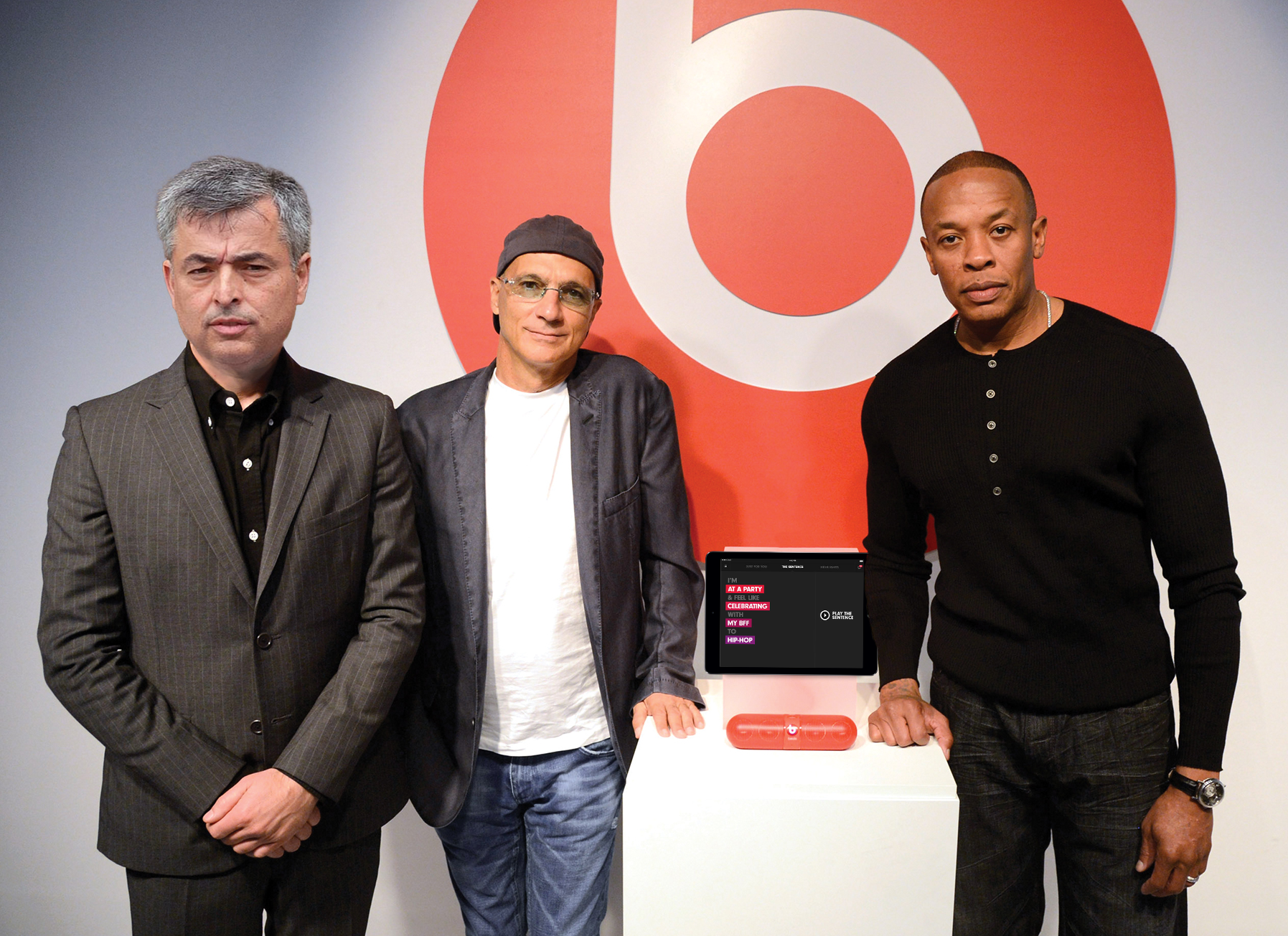
The Next Episode: Apple’s plans for Beats-based music service revealed

Site default logo image

Six months after buying the subscription music service Beats Music, Apple is actively working to launch a completely new paid streaming music service that will compete with Spotify and Rdio. Yet to be named, the new service is entirely Apple-designed, yet leverages Beats’ technologies and music content, a collaboration that has thus far led to personnel challenges and delays. Multiple sources within Apple and the music industry have provided the first in-depth details of Apple’s upcoming streaming service, which we share below.


Expand
Expanding
Close

Seagate zaps Thunderbolt drives, LaCie to continue lineup

Site default logo image

Seagate will discontinue its lineup of Thunderbolt storage products in favor of pushing Thunderbolt under its premium LaCie brand, 9to5Mac has learned.

A company spokesperson confirmed the move noting that the product life cycles for the company’s USM technology, which allowed integration of interfaces like Thunderbolt through adapters, is “coming to a conclusion.”
Expand
Expanding
Close

Apple’s Back to School sale returns to Australia and New Zealand w/ gift card promo

Site default logo image

Apple’s annual Back to School sale in Australia and New Zealand has gone live with a promotion for qualifying students to receive Apple Store credit with the purchase of a Mac, iPad, or iPhone. Similar to last year, the Back to School sale includes the usual education pricing on Macs and iPads, but this year Apple is including Apple Store gift cards rather than App Store gift cards like last year.
Expand
Expanding
Close

Apple announces Q1 2015 revenue of $74.6b: 74.4m iPhones, 21.4m iPads, 5.5m Macs

Site default logo image

(Image via Michael Steeber)

Apple announced its Q1 2015 earnings results today reporting $74.6 billion in revenue earning $18 billion in profit during the three-month period.

Apple® today announced financial results for its fiscal 2015 first quarter ended December 27, 2014. The Company posted record quarterly revenue of $74.6 billion and record quarterly net profit of $18 billion, or $3.06 per diluted share. These results compare to revenue of $57.6 billion and net profit of $13.1 billion, or $2.07 per diluted share, in the year-ago quarter. Gross margin was 39.9 percent compared to 37.9 percent in the year-ago quarter. International sales accounted for 65 percent of the quarter’s revenue.

In addition to its revenue and profit disclosure, Apple reported sales numbers for the following categories:

  • iPhone: 74.4 million units
  • iPad: 21.4 million units
  • Mac: 5.5 million units
  • iTunes: $4.7 billion
  • Accessories: $2.6 billion

Totals:

  • Revenue: $74.6 billion
  • EPS: $3.06 per share

Apple CEO Tim Cook said the following regarding the quarter:

“We’d like to thank our customers for an incredible quarter, which saw demand for Apple products soar to an all-time high,” said Tim Cook, Apple’s CEO. “Our revenue grew 30 percent over last year to $74.6 billion, and the execution by our teams to achieve these results was simply phenomenal.”

Apple CFO Luca Maestri added this:

“Our exceptional results produced EPS growth of 48 percent over last year, and $33.7 billion in operating cash flow during the quarter, an all-time record,” said Luca Maestri, Apple’s CFO. “We spent over $8 billion on our capital return program, bringing total returns to investors to almost $103 billion, over $57 billion of which occurred in just the last 12 months.”

Ahead of today’s earnings report, sales numbers for both the iPhone and iPad were particular areas of interest. Q1 2015 held the bulk of the iPhone 6 and iPhone 6 Plus sales in the United States and saw the new iPhone models debut in key countries like China. Meanwhile, the iPad sales numbers were particularly interested following last quarter’s year-over-year shipment decrease and the release of the iPad Air 2 and iPad mini 3 in October.

Apple’s Q1 2015 numbers follow last quarter’s results of $42.1 billion in revenue and sales of 39 million iPhones, 12.3 million iPads, and 5.5 million Macs. For the same quarter a year ago, Apple reported $57.6 billion in revenue and sales of 51 million iPhones, 26 million iPads, and 4.8 million Macs. Compare also to profit last quarter of $8.5 million and a year ago of $13.1 billion.

Apple will hold its conference call today at 2 PM Pacific/5 PM Eastern to discuss the quarter’s numbers, follow along for our coverage then. Both Cook and Maestri will likely share prepared remarks then answer a round of questions from analysts on the call.

For Q2 2015 Apple is providing guidance between $52 billion and $55 billion. The full Q1 earnings results release is below:


Expand
Expanding
Close