Latest

Site default logo image

BlackBerry rolling out redesigned BBM for iPhone 6/6 Plus

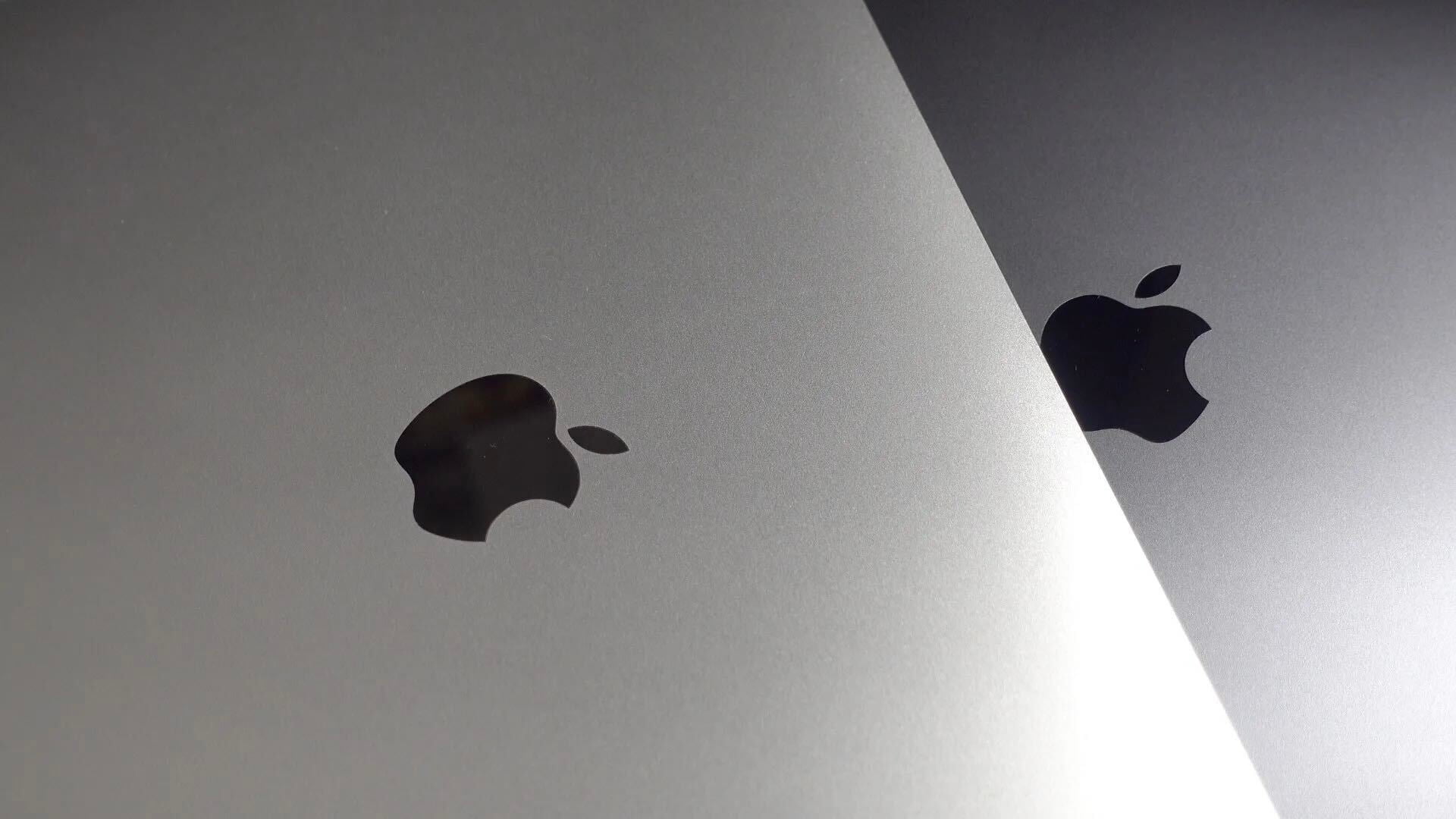
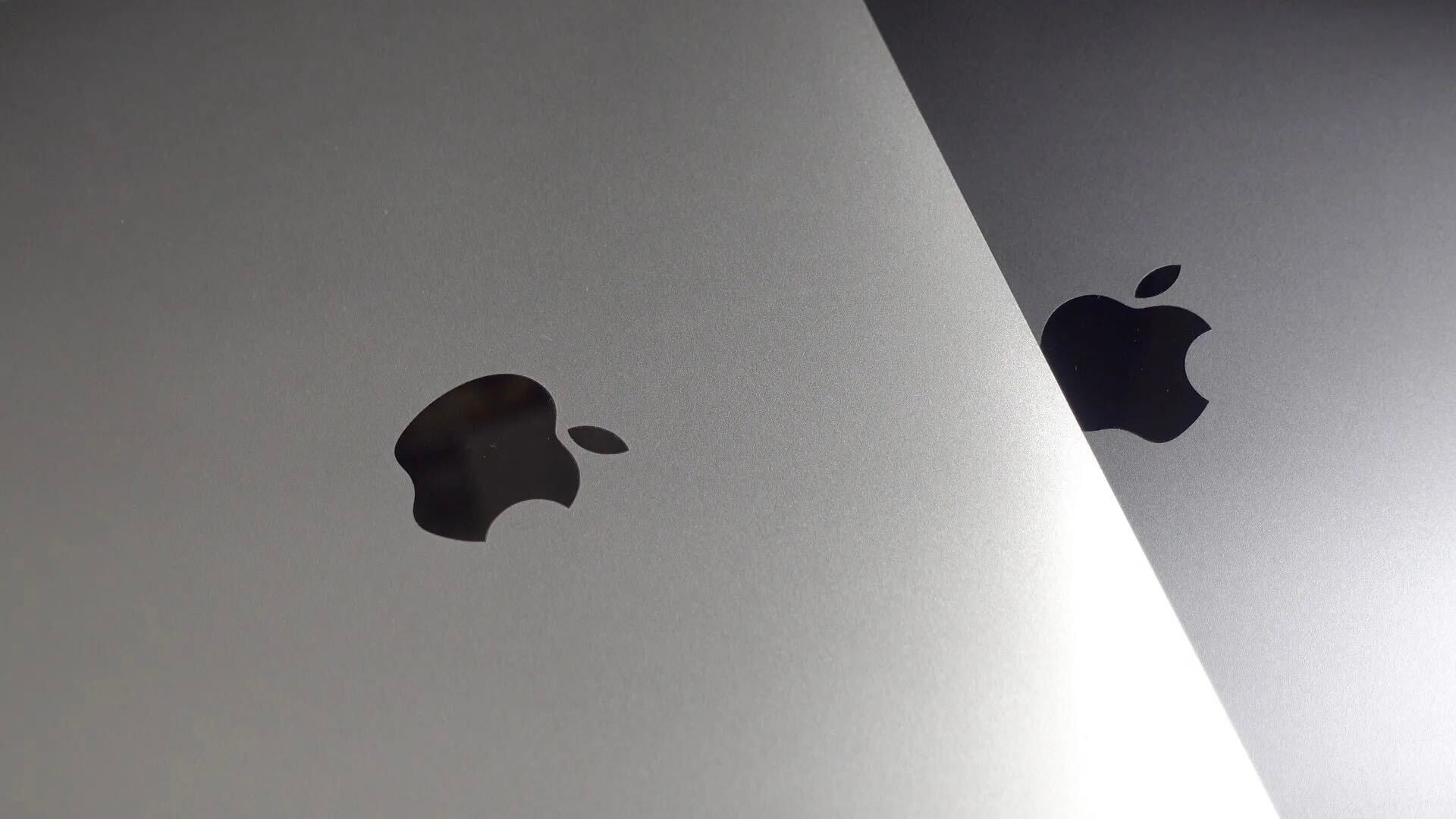
Previous BBM design (left) and refreshed BBM design (right)

Better late than never, BlackBerry showed off a redesigned version of its BBM app with native resolution support for the iPhone 6 and iPhone 6 Plus which should be rolling out to users soon.

The update also includes some design adjustments, BlackBerry says, adding to the “fresh new look and feel” of the updated version for iOS 8 and the iPhone 6 and 6 Plus. A preview screenshot of the new version of BlackBerry Messenger for iPhone (seen above on the right) shows the user interface refinements coming to the messaging app.

BBM for iPhone, which first hit iOS just over a year ago with regular updates, is available for free on the App Store. The updated version should be out for users shortly.

Apple Pay in-app checkout added to MLB Ballpark & Priceline apps

Site default logo image

Apple Pay support is still slowly rolling out from more banks, retailers, and apps, and two notable updates added Apple Pay in-app checkout options this week.

First up is Priceline, the app that aims to save you money on flights, hotels, and car rentals anytime you’re traveling. While the app allows you to book plane tickets and reserve rental cars, Apple Pay checkout is currently limited to “Express Deals” for paying for hotel reservations.
Expand
Expanding
Close

Site default logo image

Adobe updates Photoshop Mix for iOS w/ auto cropping, Instagram sharing, more

Photoshop Mix for iOS

Adobe released version 1.4 of Photoshop Mix for iPhone and iPad today adding a new “auto crop” feature that Adobe says “analyzes images and suggests non-destructive boundaries based on the primary objects in an image.”

The latest version of the photo editing app also includes the addition of Instagram as a sharing option while sharing to Facebook has been improved. The Creative Cloud-connected app can now open files directly from Lightroom, Photoshop Sketch, Illustrator Line, and Illustrator Draw as well while support for six more languages was added in the update.

Auto crop feature from Photoshop Mix

Auto crop feature from Photoshop Mix

Check out the full change log for Photoshop Mix, which first launched in June, below with all the new details.


Expand
Expanding
Close

Apple reverses decision on rejecting iCloud Drive feature in Panic’s Transmit app

Site default logo image

app store hero flat modern

In the latest instance of Apple reversing controversial app rejection decisions, Panic says it received the green light to resubmit a version of its Transmit app with the ability to send files to other services including iCloud Drive once again. The news comes after Apple requested Panic remove the feature from the app to prevent it being pulled from the App Store.
Expand
Expanding
Close

Google iOS app updated w/ Material Design, Street View integration, more

Site default logo image

Google is rolling out a completely redesigned version of its iPhone and iPad app with its Material Design look and feel right down to the app icon.

The latest version of the search app now presents a bottom navigation bar (which can slide out of view) that presents a persistent Google button for searching for new information. The navigation bar also offers a button for quickly accessing recent search pages, something that feels similar to multitasking between apps on Android.

Also notable as part of the redesign is the optimization searching for photos has received. In the latest version of Google’s iOS app, image results now take on a full-screen, mosaic look for presenting larger results. The update also packs in deep Google Maps integration for location searches including support for Google Street View right in the app for iPhone users. You can read the full change log below:
Expand
Expanding
Close

Workflow brings an Automator-like experience to iOS for easy and fast automation

Site default logo image
Workflow gallery iPad

We’ve covered automation apps for iOS in the past, and iOS 8 adds a lot of potential for what’s possible thanks to extensions for performing actions and sharing data from anywhere in the system. Today a new app called Workflow is joining the mix with a super simple and approachable way to set up actions at the tap of a button…

Expand Expanding Close
Site default logo image

Spotify and SoundCloud updated w/ playlist features, iPhone 6/6 Plus optimization

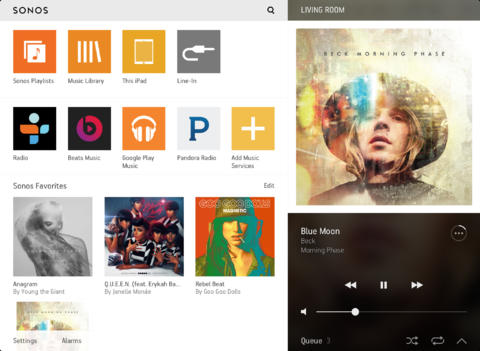
spotify

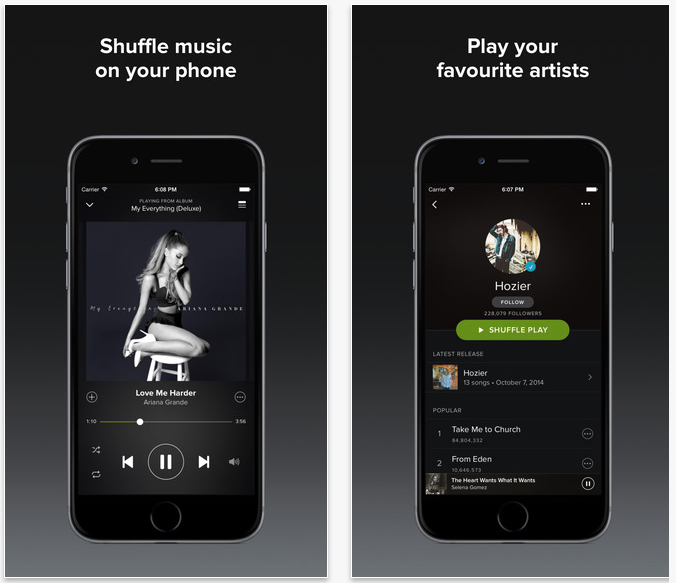
If you want to stay in tune with your friends, Spotify is rolling out a new feature that automatically generates a playlist of your friends’ favorite tracks. The feature is appearing on all platforms, including version 2.2 of the Spotify Music iPhone app, out today.

The SoundCloud iPhone app also gets playlists for the first time, and both apps have been optimized for the iPhone 6/Plus.

Spotify Music is a free download from the App Store on iTunes, with in-app purchases, while SoundCloud is completely free.

Shazam for iOS updated w/ redesigned music player, deeper Spotify integration & more

Shazam Mobile Apps

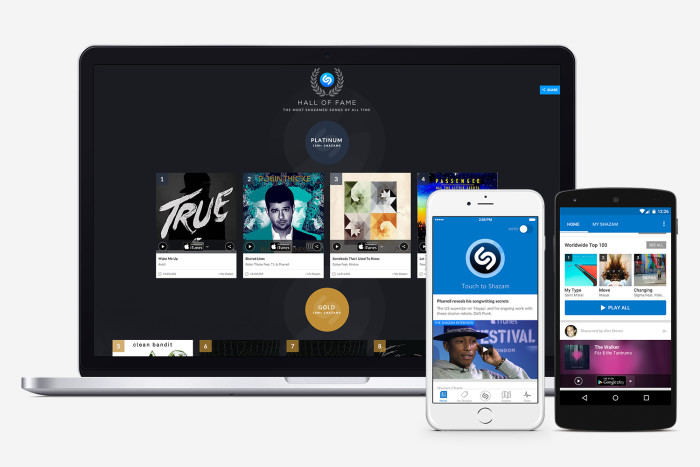
Shazam for iOS received a major update on Wednesday with a redesigned home screen and music player for more conveniently keeping up to date with the latest artists you have identified, finding out what songs friends are listening to and accessing the latest Shazam charts. A brand new Shazam.com was also launched with a Hall of Fame for artists and other new features.
Expand
Expanding
Close

Snapchat finally updated with iPhone 6/6 Plus support

SnapchatWhile the iPhone 6 and iPhone 6 Plus were released nearly three months ago, some high-profile developers have taken incredibly long to update their apps with native resolution for the larger screens. Look no further than Snapchat, which has finally been updated with iPhone 6 and iPhone 6 Plus support in an update released today.

The latest version of the popular ephemeral messaging app, in which users can share photos, videos and instant messages with others that disappear after a customizable length of time, also received enhancements in other areas, including improved captions, the ability to change the color of, pinch to resize and drag around special text and stacked filters.
Expand
Expanding
Close

Site default logo image

eBay offering Apple accessory deals to celebrate launching redesigned iPad app

ebay-iPad-app-01

eBay announced today that it’s releasing a completely redesigned experience for iPad that introduces a new layout, larger images, redesigned notifications, improved search and much more.

The completely redesigned iPad app is available globally in the Apple App Store, and features a more consistent, simplified design that puts sellers’ products at the forefront and creates an engaging shopping experience for buyers. “Our aspiration is to make eBay the most inspiring place to shop,” said RJ Pittman, chief product officer at eBay. “This new experience is aimed at giving sellers the best platform to showcase their products and make it effortless for buyers to discover and engage with their inventory.”

Other new features include a new “Today” screen with featured collections, Google and Yahoo ad integration, redesigned seller profiles, and a enhanced search that Yahoo says will now “show you what you asked for, and also other items related to your search.”

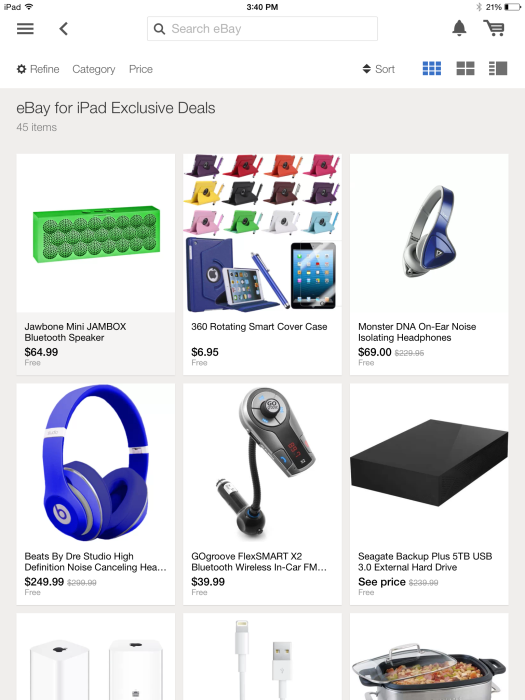
To celebrate the launch, eBay is also offering a number of exclusive deals on iOS and Apple accessories through the app:

eBay for iPad Exclusive Deals 

  • Jambox Mini JAMBOX Bluetooth Speaker – $64.99
  • 360 Rotating Smart iPad cover case – $5.75 to $6.95
  • Monster DNA  on-Ear Noise Isolation headphones – $69.00
  • Micro bluetooth speaker – $12.99
  • Beats By Dre Studio High Definition Noise Cancelling Headphones – $249.00
  • Apple Airport Extreme Router – $138.99
  • Apple Lightning cable – $7.99
  • GOgroove FlexSMART X2 Bluetooth Wireless In-Car FM Transmitter – $39.99
  • Seagate Backup Plus 5TB USB 3.0 Desktop External Hard Drive

None of these prices are earth shattering, but decent enough if you’re currently in the market for one of these items. Keep tuned to 9to5Toys if you want to score Apple and other tech gear at all-time low prices.

The new eBay iPad app is available on the App Store now. A full list of what’s new in version 3.4.0 below:

What’s New in Version 3.4.0

  • Browse through eBay-curated channels including, Today, Deals and Following, as well as Motors, Fashion, Electronics, and Collectibles.
  • View item refresh – placing photos of products front and center
  • Seller profile pages redesigned to place sellers’ products at the forefront
  • Redesigned notifications with a new notification bell on the home screen
  • New Search landing interface
  • Google and Yahoo Ad integration
  • An enhanced selling experience

Dashlane password manager can now automatically change your password on 50 top US websites

Site default logo image

dashlane

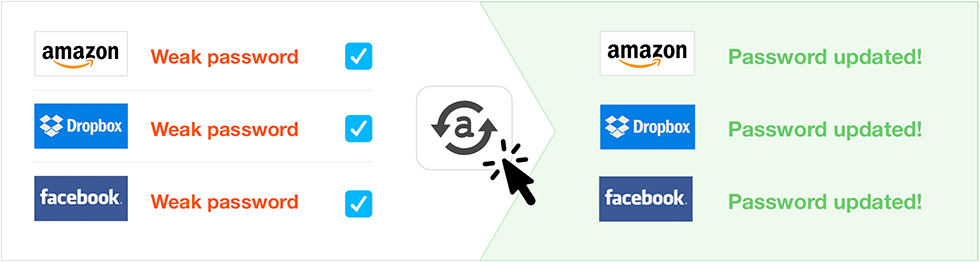
Password managers are a great way to have strong, unique passwords for each website you access – but vital as it is these days, there’s no denying that it’s a chore to change them. Dashlane, a Mac and Windows password manager app, aims to take away the pain by doing it for you automatically across 50 top US websites like Apple, Amazon, Dropbox, Facebook, PayPal, WordPress and Twitter.

Importantly, the app can even cope with sites that employ two-factor authentication to login or change a password, prompting you for the code when required … 
Expand
Expanding
Close

Site default logo image

Facebook Pages Manager update introduces redesigned iPad UI

Facebook has updated its standalone Pages Manager app with a revamped UI for the iPad. The new design brings a tabbed sidebar that allows quick access to features like notifications and messages. The app also gained bug fixes.

You can get Facebook Pages Manager for free on the iOS App Store.

What’s New in Version 12.0

• New design updated for iPad, faster access to messages, notifications, and insights
• Bug fixes and performance updates

Site default logo image

Google Docs, Sheets, & Slides for iOS add new editing features, enhanced iPhone 6/6 Plus support

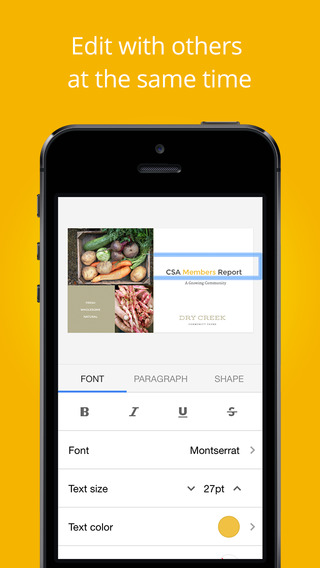
Slides-iOS-02Google announced today that it’s rolling out updates to its Google Docs, Sheets, and Slides iOS apps that add a few new editing features and enhanced iPhone 6 and 6 Plus support.

  • Support for viewing and editing text in tables in the Docs app
  • Ability to insert, move, resize and rotate text boxes, shapes and lines in the Slides app
  • Enhanced support for iPhone 6/6+ (all apps)
  • General fixes and performance improvements (all apps)

All of the updates are available from the App Store now for the iOS versions of Docs, Slides, and Sheets (links below). In addition to support for vieing and editing text in tables, the Docs app also adds several new accessibility features.

A full list of new features for each app below:

Google Docs version 1.1.6

* Support for viewing and editing text in tables
* Revamped accessibility support to use system standard text editing controls.
* Enhanced support for reading and editing when using Braille displays.
* Enhanced VoiceOver support when using Bluetooth keyboards.
* Enhanced support for iPhone 6 and iPhone 6 Plus
* Bug fixes and performance improvements

Google Slides version 1.0.5:

* Insert, move, resize and rotate textboxes, shapes and lines
* Enhanced support for iPhone 6 and iPhone 6 Plus
* Bug fixes and performance improvements

Google Sheets version 1.1.5:

* Enhanced support for iPhone 6 and iPhone 6 Plus
* Bug fixes and performance improvementss

Must-have iPhone, iPad, & Apple Pay apps for holiday gift shopping this year

Site default logo image

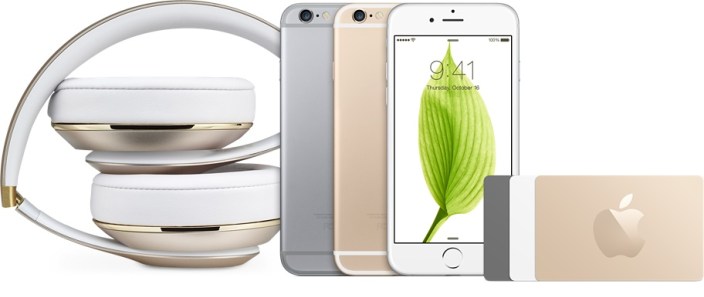
Beats iPhone 6 Apple gift cards

Shopping this year through iPhone and iPad apps is significantly more convenient thanks to Apple Pay and Touch ID. The latest iPhones and iPads allow you to avoid the arduous process of re-entering your credit card information each time at checkout and instead pay for your purchase with the touch of your finger.

Hopefully our holiday gift guides are steering you in the right direction for what to buy this year, especially with guides focused on using your iPhone and iPad in the carmaking music with Apple devicesoutfitting your home with connected smart devices, and more, and these shopping apps should continue to help you along the way.
Expand
Expanding
Close

Starbucks for iOS adds in-app ordering for Portland customers, more cities expected in 2015

Site default logo image

The official Starbucks app for iOS has gotten an over-the-air update that enabled the ability to place an order right from the app, but only for users in Portland, Oregon. Users will now be able to create an order and pay for it directly from their phones, and find their coffee waiting for them at the counter when they arrive.


Expand
Expanding
Close

Drafts iOS widget to be removed as Apple decides Notification Center buttons apparently now off limits

Site default logo image

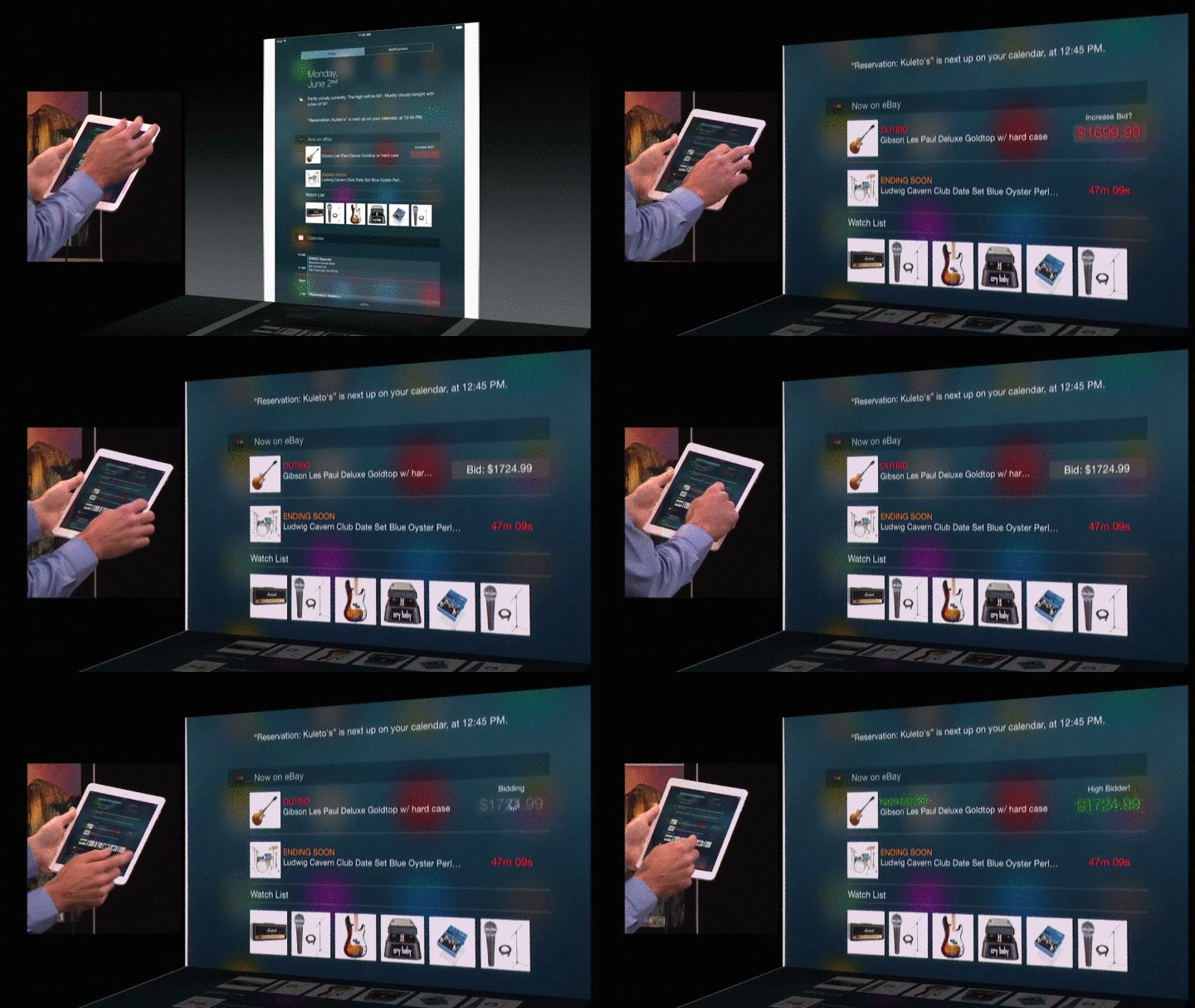
tap-and-bid

It seems Apple has ordered yet another developer to make changes to his app’s Notification Center widget even after it was approved for sale and adopted by countless users. Previously the company’s indecisiveness on the purpose of widgets led to an app called Launcher being pulled from sale, and a similar fate was almost met by the popular pCalc widget until Apple changed its mind (again).

The widget in question today was created by developer Greg Pierce and is part of the popular note-taking app Drafts. The app allowed users to create new entries in the app by pressing a button in the widget, which then opened the app’s composer (in the app, of course).


Expand
Expanding
Close

Site default logo image

Amex Mobile iPhone app adds easy account login w/ Touch ID fingerprint sensor

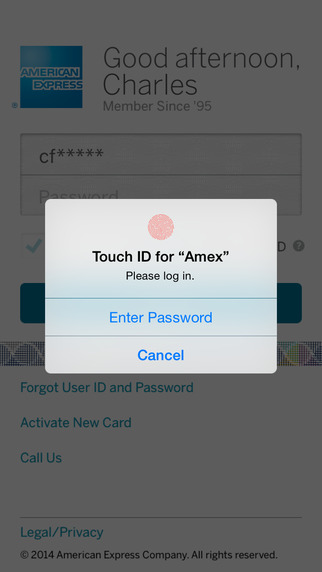
Amex-touchid-login-01

American Express updated its Amex Mobile app today with one notable new feature: the ability to login into your account using Touch ID.

Log-in securely with the same user ID and Password you use on americanexpress.com. And now, enjoy quicker access with Touch ID, available for supported devices with iOS 8.

The new features utilizes Apple’s Touch ID finger print sensor, which in iOS 8 was opened to third-party apps for logins after previously being reserved for unlocking the device itself and authenticating App Store and iTunes purchases. For that reason the new feature is only supported on devices with TouchID running iOS 8. Devices with Touch ID include iPhone 5s, iPhone 6, iPhone 6 Plus, iPad Air 2 Plus, and iPad mini 3. 

The updated Amex Mobile app, version 4.6.4, is available on the App Store now and also includes other “bug fixes and enhancements.”

What’s New in Version 4.6.4

•Enjoy quicker access to your account with Touch ID, available for supported devices with iOS 8
•Bug fixes and enhancements

Site default logo image

Microsoft buys Acompli, an email app for iOS

Microsoft Acompli

Microsoft announced today that it acquired Acompli, an email client for Android and iOS, in an effort to own more productivity apps on each mobile platform:

This acquisition is part of our company-wide effort to help people accomplish more with their mobile devices. This year we brought Office to the iPad and the iPhone, and we recently announced that we’re bringing Office to Android devices. These are significant steps in our work to deliver the best productivity experiences across mobile platforms, and we’re continuing to push forward.

Acompli also wrote about the acquisition news while discussing support for various file services:

Soon after launch we started working with a number of enterprise IT departments who believed, like we do, that great products need to be “Loved by Users, and Trusted by IT.” Right around this time we began conversations with the folks at Microsoft about how we could go farther by integrating the capabilities of their Office 365 platform into our product while continuing to provide amazing support for email and file services from Apple, Dropbox, Google, and Box. Those conversations led to today, where we have decided the opportunity to join forces in pursuit of a better, faster, more powerful email experience is something we can do better as one company.

The acquisition follows Microsoft’s announcement last month that Office for iOS no longer requires an Office 365 subscription for editing files and the debut of dedicated Office for iPhone apps including Word, PowerPoint, and Excel. Microsoft also integrated Office support with Dropbox as part of a new partnership between the two companies.

According to Re/code, Microsoft spent more than $200 million to buy up the email app although neither company disclosed that amount.

Site default logo image

Updated Dropbox iOS app gives you quick accesss to renaming files and folders, more

iPhone-3.6-Rename-FINAL-gifDropbox announced today that an incoming update hitting the App Store today will offer the ability to rename fils and folders and more.

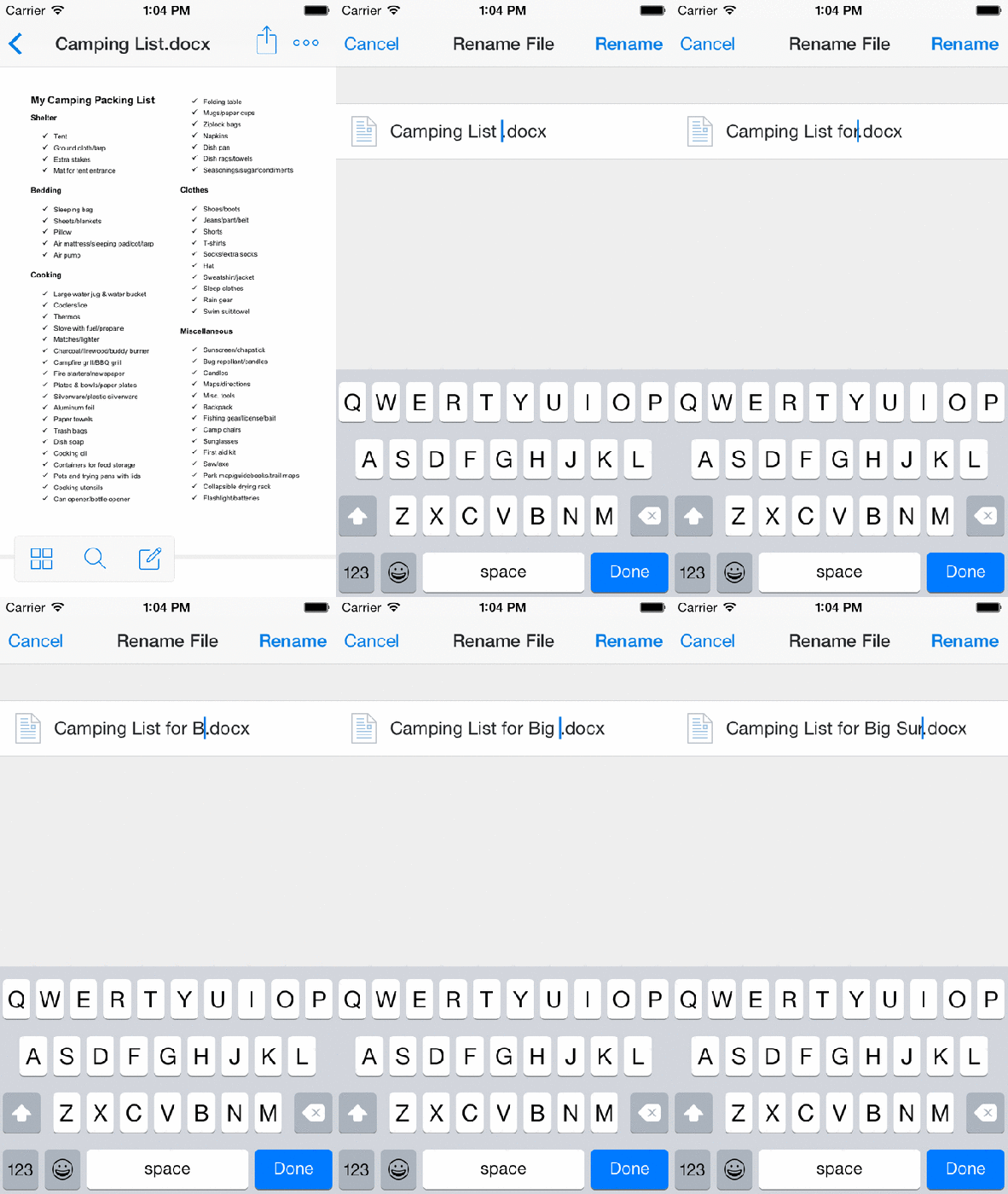
Today’s update to the iOS app includes a new “more actions button” that will let users rename files, folders and access other functions: We’ve added an easy-access more actions button next to the sharing icon in the upper right-hand corner that leads to a set of file options so you can quickly do things like rename or move a file…To rename files straight from the Dropbox, simply choose Rename from the more actions button as you’re previewing. Rename folders by swiping to the right from the file list view and tapping the rename icon.

Dropbox also points out that the latest apps have a new disappearing toolbar that provides more screen real estate when viewing files and folders in addition to a few other new features. Our new toolbar disappears (and reappears) as you need it, leaving valuable screen space for a full view into your photos or important files. Simply tap once anywhere within your photo or file to toggle between the toolbar and full screen.

That new disappearing toolbar (which was present in the last version of the app as well) includes an edit button for Microsoft Office files as part of the company’s recent integration with the Office mobile apps.

The updated Dropbox app for iOS, version 3.6, will be arriving on the App Store today.

What’s New in Version 3.6

• You can now rename your files and folders!
• Swipe right on a folder to see more actions, including rename.
• We’ve moved a few things around – there’s a new more actions button (⋯) when viewing files
• On iPhones, the more actions button (⋯) also includes the full file na

Site default logo image

FingerKey app lets you unlock your Mac using iPhone’s TouchID fingerprint sensor

A new app called FingerKey allows Mac users to unlock their computer using Apple’s Touch ID fingerprint sensor on the iPhone 5s, 6, or 6 Plus.

That means you’ll be able to login to your Mac using your iPhone’s fingerprint sensor rather than typing in a password each time. The app takes advantage of Apple opening up the Touch ID sensor to third-party apps for logins after previously being reserved for unlocking the device itself and authenticating App Store and iTunes purchases.

The FingerKey app includes the ability to unlock multiple computers from a distance, 256-bit AES encryption, and a Notification Center Today widget for quick access.

The developer says that support for logging into Windows and Linux computers is coming soon as is a Pattern Unlock feature for logging in via touchscreen gestures.

We recently wrote about a similar app, which also used a Bluetooth connection, that allowed users to unlock their Mac using by knocking on their iPhone’s screen.

FingerKey is available on the App Store for $1.99 and the developer shared the video below of the app in action:

[youtube=http://www.youtube.com/watch?v=dVS1f9iYqHs]

Site default logo image

Critically acclaimed console game ‘Oddworld Stranger’s Wrath’ arrives remastered for iOS devices

[youtube=https://www.youtube.com/watch?v=Jd2CxwPP6ks]

Oddworld Stranger’s Wrath first debuted on the original Xbox in 2005 to praise from critics and today the game has officially arrived for iOS devices with some new additions and enhancements specifically for the smaller screens.

Developed by Oddworld Inhabitants, Stranger’s Wrath is the latest installment in the franchise despite being first released on the original Xbox almost 10 years ago. The title foregoes the side scrolling puzzler gameplay that made the original Oddworld: Abe’s Oddysee and follow up games in the series popular when released on PlayStation in the late 90’s. Instead, Stranger’s Wrath is half first-person shooter, half third-person platformer with lots of the usual Oddworld exploration and theatrical soundtrack.

The developers say the new iOS release includes “exciting new controls that make the most of the mobile format and improved visuals throughout.” The game also includes support for Made-for-iPhone game controllers and supports English, German, Russian, French, Spanish, Italian, Portuguese, Finish, Swedish, and Polish languages.

Oddworld: Stranger’s Wrath is available on the App Store now for $5.99.

Site default logo image

Flexibits Black Friday sale goes live early: up to 65% off Fantastical for iOS & Mac, more

Fantastical 2-sale-App Store

Flexibits, makers of Fantastical for Mac, iPhone, and iPad, just kicked off their huge Black Friday holiday sale early with savings up to 65% off the regular price of their apps.

If you haven’t already tried Fantastical, it’s my favorite calendar replacement app–especially for iPhone–with natural language input and a clear list view for finding your appointments easily. Both the iPhone and iPad versions feature Today view widgets, extensions, and interactive notifications for iOS 8 users, and the Mac app is a simple menu bar app for accessing from anywhere.

Here are the deals:

Fantastical for iPhone: $4.99 $1.99 (60% off)

Fantastical for iPad: $14.99 $4.99 (65% off and lowest price yet)

Fantastical for Mac: $19.99 $9.99 (50% off)

In addition to discounting Fantastical for each platform, Flexibits is also taking half off its Chatology app which helps you archive and search messages on your Mac. Available from Flexibits.com, the $19.99 app is on sale for $9.99 for the holidays. For more deals and savings, stay tuned to 9to5Toys for all the best Black Friday deals.