HomeKit

See All Stories

HomeKit is Apple's home automation framework that lets you control connected accessories from your iPhone, iPad, Apple Watch, HomePod, and Siri.
Your home at your command.

What is HomeKit / Apple Home?

Along with several other new APIs for developers, Apple announced HomeKit in June 2014, which allows all home automation accessories/devices to work together in harmony with iOS. The API allows home automation developers to centralize all home automation without needing separate apps to access each device’s specific features. These devices include locks, lights, cameras, doors, thermostats, plugs, switches, and more.

HomeKit allows for secure pairing with devices and the ability to control individual devices. It also makes it possible to group several home automation devices into scenes that allow for easier control of any automation device in specific situations. One of the coolest features available with HomeKit is the ability to control any home automation accessory with Siri based on certain commands or scenes previously configured with these devices.

In 2016, Apple introduced a new Home app that came with a modern look, relatively easy-to-use controls, and access to accessories and scenes from anywhere on iOS 10. Apple’s new built-in Home app arrived on the iPhone’s Home screen, plus you can access a ton of functions from the Lock screen or anywhere on iOS from the new Control Center once you have a HomeKit accessory set up.

In 2018, Apple released the HomePod. It was a way to interact with your connected home devices through Siri using a standalone device.

In 2020, Apple announced that tvOS 14 would gain access to the Home app. iOS 14 is also bringing improvement to the Home app UI.

HomeKit Secure Video
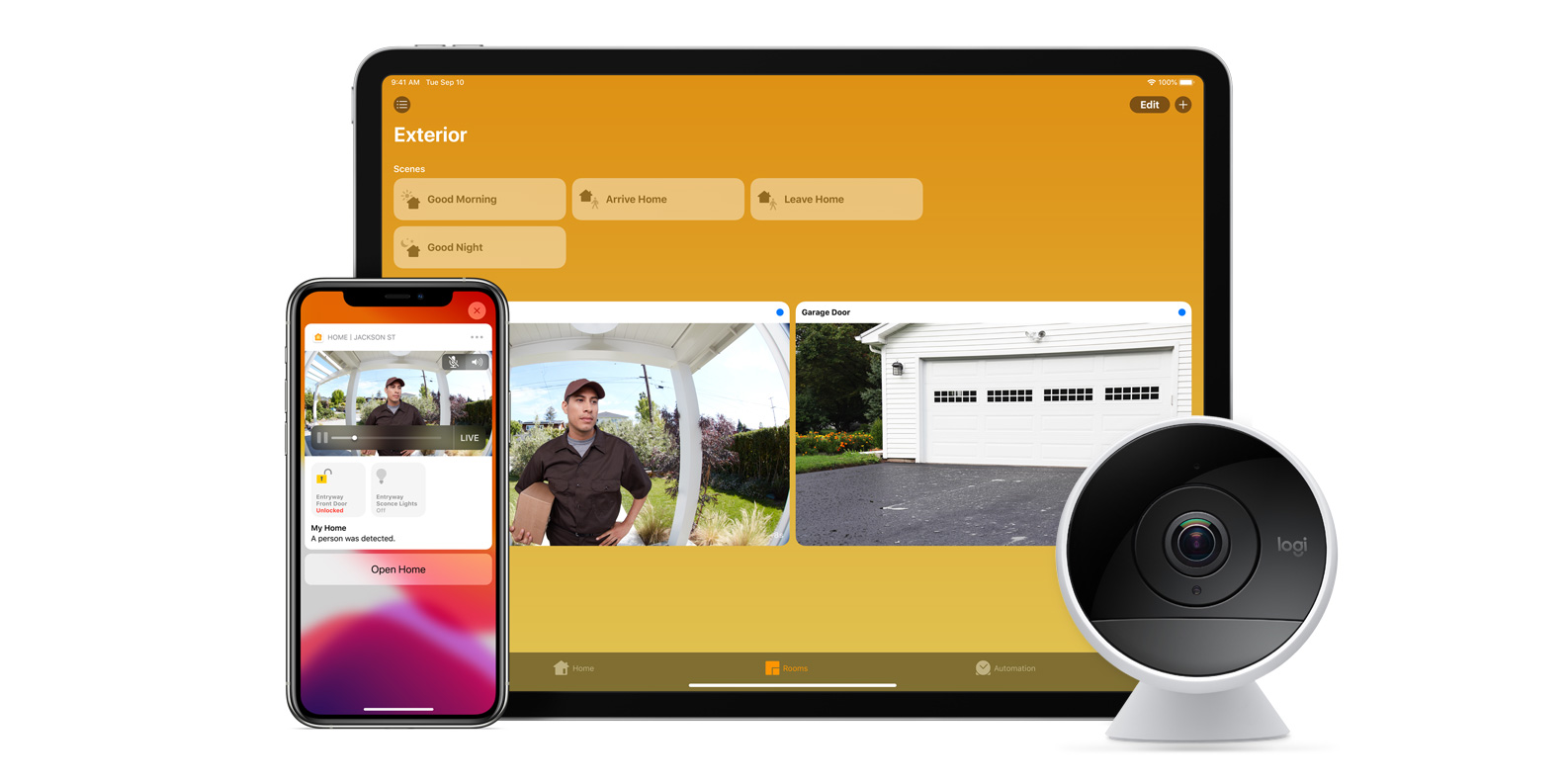
With iOS 13, Apple announced HomeKit Secure Video.

Footage from home security cameras contains your most personal and sensitive data. With HomeKit Secure Video, activity detected by supported cameras is privately analyzed by your home hub using on‑device intelligence to determine if people, pets, or cars are present. When important activity is detected, you and anyone you share your Home app with will receive a rich notification that lets you view the clip right from the Lock Screen. Recorded video is available to view for ten days from the Home app. It’s securely stored for free in supported iCloud accounts and doesn’t count against your storage limit.

While the rollout has been slow, Logitech, Arlo, Netatmo, and Eufy are among the early standouts. With recent privacy issues with Ring, HomeKit Secure Video is likely to continue to grow in popularity. One key benefit with Secure Video is that it works with your existing iCloud storage (200GB and up plan), so you don’t have an extra monthly fee for storage.

HomeKit Router
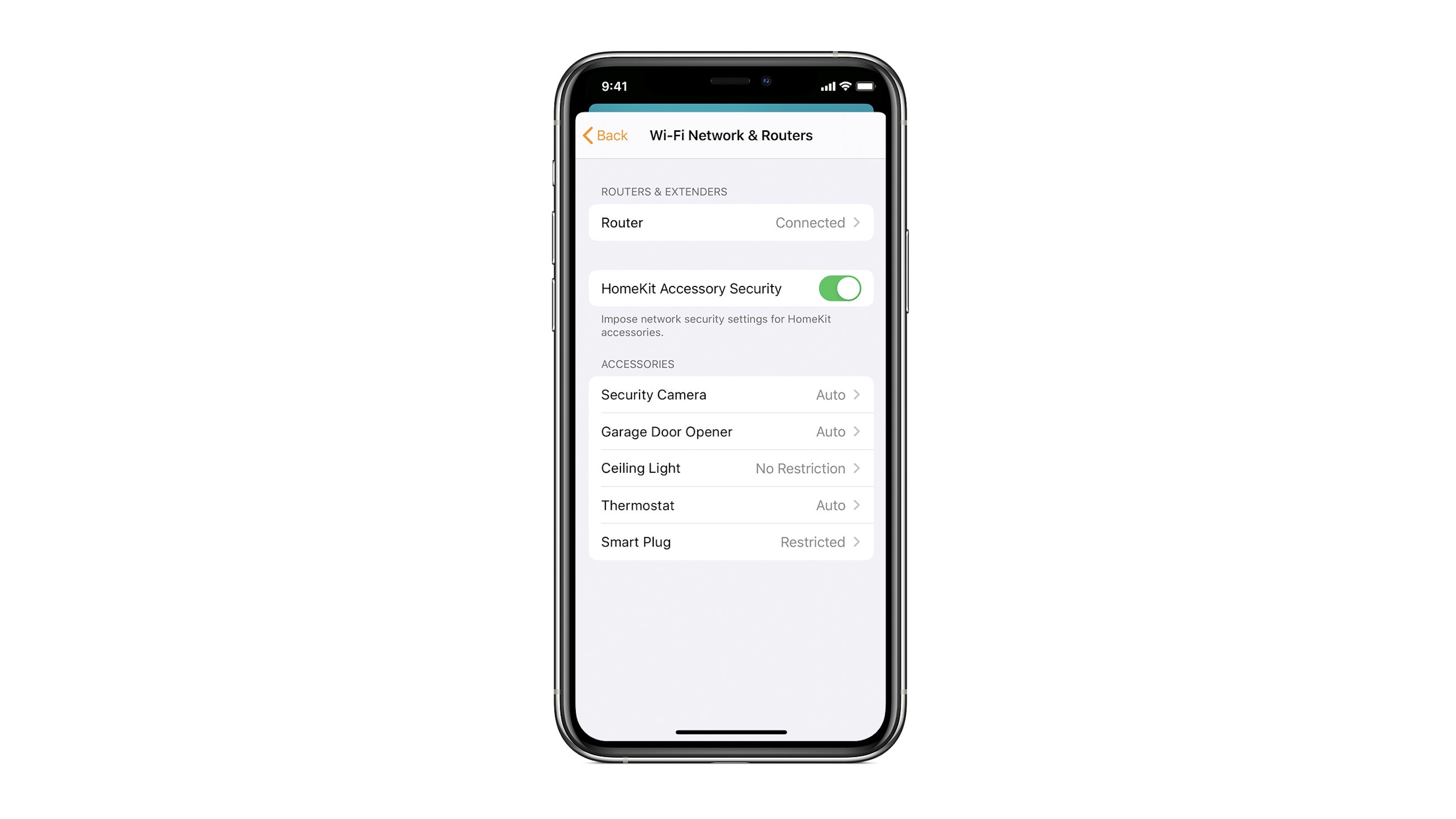
HomeKit Router was also announced with iOS 13, but it wasn’t released until early 2020. The idea behind the feature is you can give granular control to smart home enabled devices to control where on the internet they can reach.

eero was the first company to roll out support in for HomeKit Router.

With Apple HomeKit, eero gives you even more protection of your HomeKit accessories and an easy way to manage what they are allowed to communicate with in your home and through the internet.

There are three levels of security Apple offers for accessories paired with HomeKit routers:

  • Restrict to Home: Most secure. Your accessory can interact only with HomeKit through your Apple devices. The accessory won’t connect to the Internet or any local devices, so any third-party services, like firmware updates, might be blocked.
  • Automatic: Default security. Your accessory can communicate with HomeKit and connections recommended by its manufacturer.
  • No Restriction: Least secure. This setting bypasses the secure router and allows your accessory to interact with any device in your network or Internet-based service.

How Do You Use HomeKit?
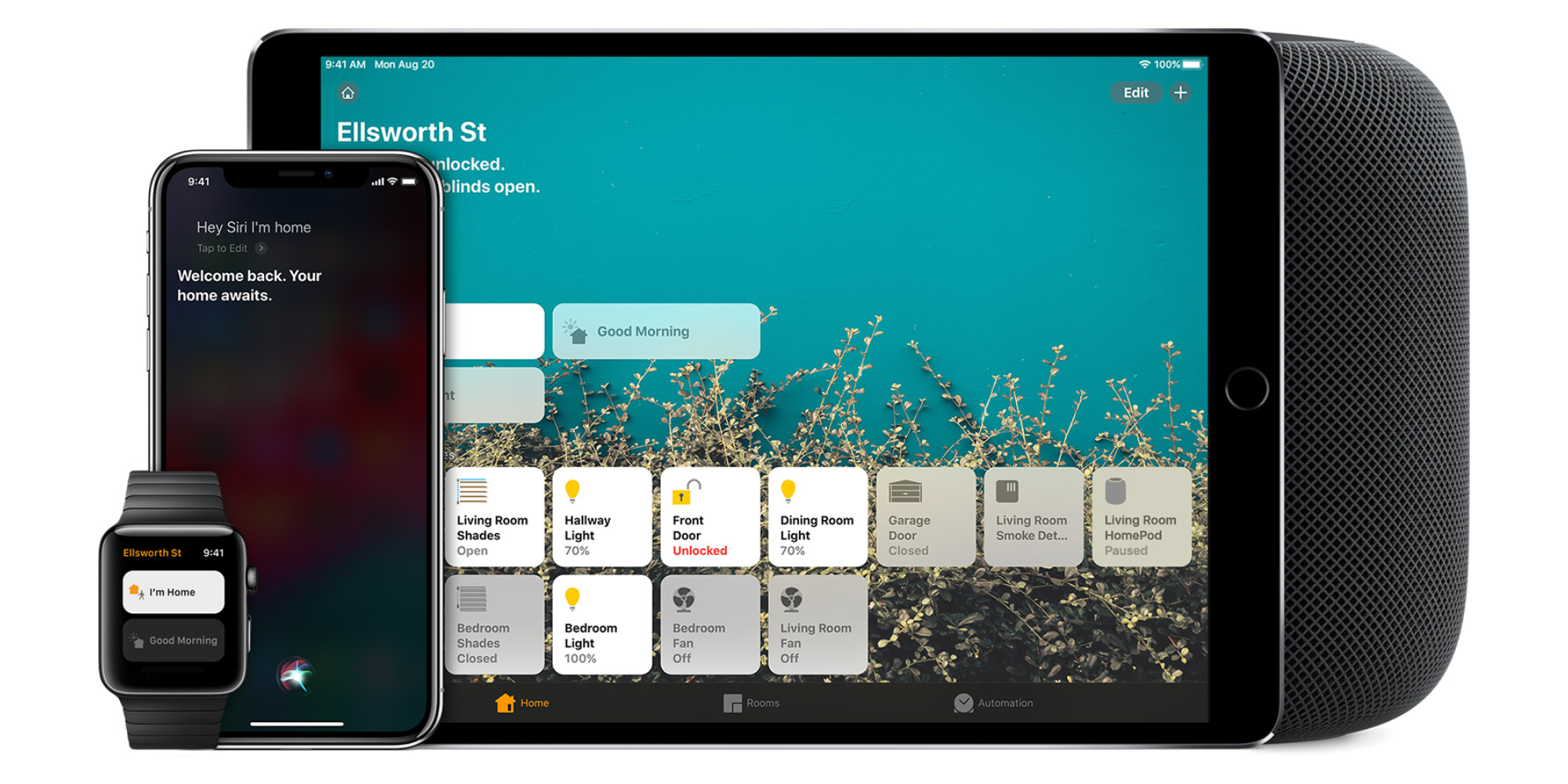
Homekit app

HomeKit devices can be controlled from iPad, iPhone, Mac, Apple Watch, and HomePod. A 4th generation Apple TV (or newer) is an essential Apple smart home device as it acts as a bridge over iCloud to allow access to your devices when away from home.

9to5Mac’s Bradley Chambers does a regular column about the “Apple Home” lifestyle in his HomeKit Weekly column.

Opinion: Apple is playing a dangerous game with its Home strategy

apple HomeKit strategy

As I wrote last week, I believe that Apple exited the home Wi-Fi market at precisely the wrong time. Back in 2004, I worked for a company that was trying to get into the home integration/home automation market. At the time, everything was extremely complicated. All of the products were expensive, everything was complicated to set up, and it wasn’t set up well for future growth.

Fast forward to 2019, and things have changed a lot. Between Amazon Alexa, HomeKit, and Google Assistant, it couldn’t be easier to build a smart home that’s easy to manage, easy to interact with, and easy to upgrade in the future. The topic I want to look at today is whether or not Apple is doing a good job at managing and marketing its HomeKit platform, how its Home strategy is working, and the risks for the future.
Expand
Expanding
Close

[Update: Smart locks, fans, new Echo features, latest prices] 9to5Mac Gift Guide: Smart Home picks – Siri and Alexa voice control, mesh Wi-Fi, NAS, more

Smart home products make great gifts. Shiny new toys to play with over the holidays, and utility that lasts all year long. Products that work with Apple HomeKit are a big part of modern smart home setups. HomeKit accessories from a variety of brands work with Apple’s Home app and with voice control through Siri.

Apple’s smart home framework doesn’t cover the full range of what you might need for a smart home, however, which is where Amazon Alexa can help. There are also things to consider when buying for smart home enthusiasts like upgraded network options, network-attached storage for serving media and storing backups, and ways to integrate charging stations throughout the house.


Expand
Expanding
Close

HomeKit Weekly: Upgrading your holiday lights with Home, Siri, and automation

HomeKit Weekly is a series focused on smart home accessories, automation tips and tricks, and everything to do with Apple’s smart home framework.

Upgrading your Christmas tree and holiday lights to work with HomeKit, Siri, and Apple’s Home app is easier than ever this year. There’s no need to go out and buy new lights or special decorations either, and there are solutions for under $50 that work both indoors and outdoors.


Expand
Expanding
Close

[Update: New HomeKit camera features added] HomeKit Weekly: Comparing security camera options, features, and apps

HomeKit Weekly

HomeKit Weekly is a series focused on smart home accessories, automation tips and tricks, and everything to do with Apple’s smart home framework. 

If you’re investing in smart home technology and want to stay in the HomeKit ecosystem, there are currently four home security cameras on the market that work with the Home app. This week we’ll look at what options are on the market, how the hardware and supporting services differ, and how you can improve the HomeKit security camera experience.


Expand
Expanding
Close

First Alert launches second-gen Onelink Smart Smoke + Carbon Monoxide Alarm with HomeKit and Alexa

First Alert is launching a new version of its entry-level smart smoke and carbon monoxide alarm with both Apple HomeKit and Amazon Echo connected home support. The new Onelink Smart Smoke + Carbon Monoxide Alarm retails for about half the price of the more feature-packed Safe & Sound, and customers still benefit from Siri and Home app support on Apple platforms.


Expand
Expanding
Close

Ikea’s Tradfri smart plug now available for $10, HomeKit support delayed

Ikea HomeKit smart plug

After announcing it would be bringing a smart plug to its Tradfri lineup of HomeKit enabled accessories back in August, Ikea has made the new $10 device available for purchase. While Ikea brought HomeKit support to Tradfri devices last year, Ikea apparently needs more time before bringing support for Apple’s platform to the new smart plug.


Expand
Expanding
Close

HomeKit support for Molekule Air Purifier said to be nearing public rollout

Molekule Air Purifier homekit

Update: Molekule is refuting the claim made by one of its employees, saying HomeKit support is not in its immediate plans.

HomeKit support for air purifiers has been somewhat of a sore thumb for many users, with Apple’s own HomeKit website proving as a source of unreliable information. Now, however, Molekule Air Purifier HomeKit support is seemingly on the horizon.


Expand
Expanding
Close

Wemo HomeKit support comes to WiFi Smart Dimmer through software update, no hub

Wemo Dimmer HomeKit

Belkin continues to bring HomeKit support to its smart home accessories, and the Wemo WiFi Smart Dimmer is the latest to join the club. Wemo HomeKit support is retroactively being added through a free software update starting today. Wemo was first to use a new software authentication method for certifying HomeKit devices with its Mini Smart Plug earlier this year.


Expand
Expanding
Close

HomeRun is the best way to run HomeKit scenes from the Apple Watch

HomeKit Apple Watch

HomeRun is a new HomeKit Apple Watch app from indie developer Aaron Pearce that fixes a major pain point. HomeRun lets you design your own HomeKit app for Apple Watch from the iPhone with a dense layout of tiles that can run HomeKit scenes. HomeRun for watchOS is absolutely the fastest way to browse and run HomeKit scenes on the Apple Watch.


Expand
Expanding
Close

Apple adds AirPlay 2 receivers category to HomeKit accessories list

AirPlay 2 receivers

Apple has expanded its list of HomeKit categories with a new entry: AirPlay 2 receivers. We’ve seen upcoming and currently available AirPlay 2 speakers including HomePod, Sonos, and Libratone on Apple’s HomeKit accessory list since Apple’s wireless audio streaming solution debuted earlier this year. The addition of AirPlay 2 receivers adds a new way to control audio with HomeKit, and receiver maker Denon is owning the category for now.


Expand
Expanding
Close

HomeKit Weekly: Libratone Zipp retroactively brings AirPlay 2 to a Bluetooth & Wi-Fi speaker

HomeKit Weekly

HomeKit Weekly is a series focused on smart home accessories, automation tips and tricks, and everything to do with Apple’s smart home framework. 

HomeKit speakers have an interesting place in the Home app. They’re primarily there so you can name a speaker and assign it to a room in your home. Then you can stream audio to it over AirPlay 2 and control audio playback with Siri. There’s not much more to HomeKit speakers than that yet.

Libratone Zipp is a portable Bluetooth and Wi-Fi speaker that retroactively gained AirPlay 2 support this month through a free software update. The portable speaker now has a place in the Home app with other HomeKit accessories like HomePod and newer Sonos speakers, and it plays nice with these speakers with AirPlay 2.

The combination of Bluetooth, AirPlay 2, and a built-in battery makes it a versatile option for HomePod-like audio without always being anchored to a power outlet.


Expand
Expanding
Close

HomeKit Weekly: Essential and advanced smart home accessory recommendations

HomeKit Weekly

HomeKit Weekly is a series focused on smart home accessories, automation tips and tricks, and everything to do with Apple’s smart home framework.

HomeKit Weekly started earlier this year with an overview of how the Home app works on iPhone, iPad, and Apple Watch (and Apple TV with Siri), and the Home app has since found its way to the Mac with macOS Mojave. Along the way we’ve recommended smart locks, shades, fans, garage door openers, security cameras, and more.

This week I want to use my HomeKit experience to create a smart home starter pack. If you’ve never tried HomeKit before or you want new ways to expand your smart home, these picks from each category should be useful.


Expand
Expanding
Close